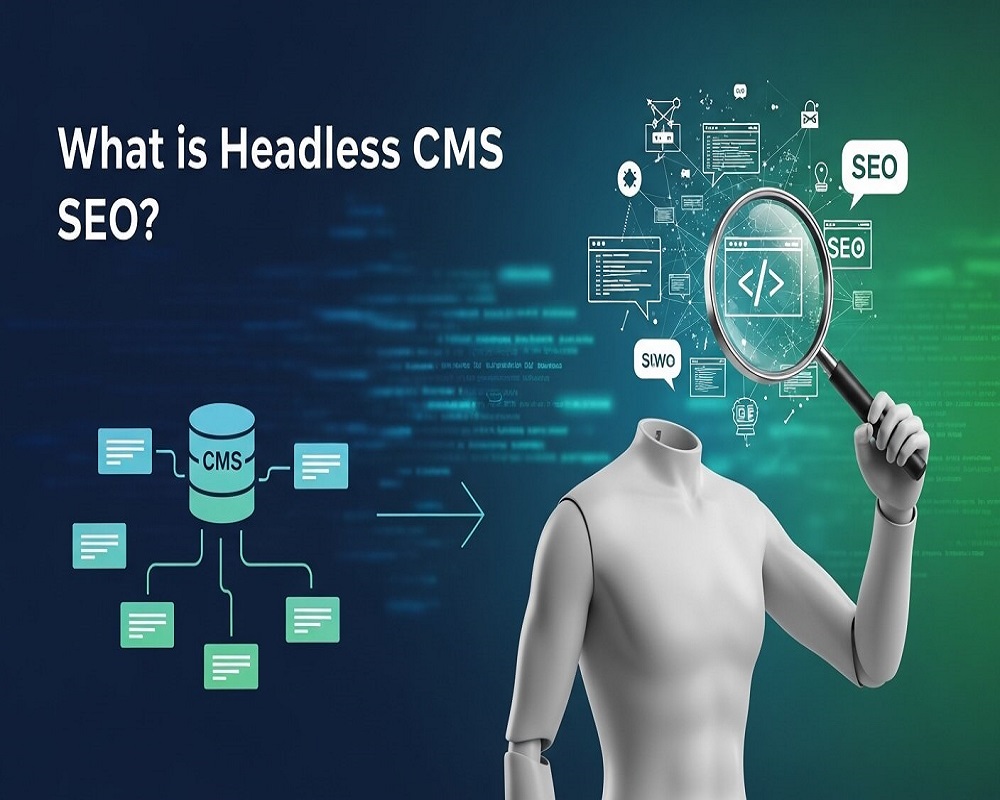
In today’s fast-evolving digital landscape, businesses are adopting innovative architectures to meet user expectations and align with search engine algorithms. Headless CMS SEO is at the forefront of this shift, offering a powerful way to optimize content for search engines while leveraging the flexibility of decoupled systems. But what exactly is headless CMS SEO? It’s the practice of optimizing websites built on a headless content management system (CMS) to enhance visibility, performance, and relevance in search engine results pages (SERPs). By using APIs to deliver content across multiple channels, headless CMS ensures that content is crawlable, indexable, and rankable by search engines like Google.
As search engines prioritize user experience, speed, and structured data, traditional CMS platforms often struggle to keep pace. Headless CMS SEO bridges these gaps by enabling tailored front-end experiences without sacrificing backend efficiency. Industry data suggests that headless architectures can improve page load times by up to 30%, directly impacting SEO performance positively. In this 3,000-word guide, we’ll dive deep into the fundamentals, benefits, challenges, and actionable strategies for mastering headless CMS SEO, equipping you with the knowledge to excel whether you’re migrating from a monolithic CMS or starting fresh.
Understanding the Basics: What Is a Headless CMS?
To understand headless CMS SEO, we first need to clarify what a headless CMS is. Unlike traditional CMS platforms like WordPress or Drupal, which integrate content management, presentation, and delivery into a single “headed” system, a headless CMS focuses solely on the backend. It serves as a content repository, storing data in a structured format and delivering it via APIs (Application Programming Interfaces) to any frontend—be it a website, mobile app, smartwatch, or voice assistant.
Picture a traditional CMS as a fully assembled bicycle, where the frame (backend) is permanently attached to the wheels and handlebars (frontend). A headless CMS, by contrast, is just the frame—you choose the wheels based on the terrain. This decoupling, where the “head” (presentation layer) is separated from the “body” (content layer), enables omnichannel content delivery. Popular headless CMS platforms like Contentful, Sanity, Strapi, and Hygraph offer API-driven workflows designed for scalability.
The architecture typically includes:
- Content Modeling: Creating schemas for entities like articles, products, or users to ensure semantic richness for SEO.
- API Delivery: Using RESTful or GraphQL endpoints to fetch content dynamically.
- Frontend Rendering: Frameworks like Next.js or Gatsby handle presentation, often using server-side rendering (SSR) for SEO compatibility.
This structure is more than technical innovation—it’s a response to a multi-device world. With over 60% of global web traffic coming from mobile devices, headless systems deliver responsive, fast-loading experiences that search engines reward. For SEO professionals, the key is that headless CMS shifts optimization to the frontend, allowing custom implementations that align with modern search guidelines.
Defining Headless CMS SEO: Beyond Traditional Optimization
Headless CMS SEO refers to the specialized techniques used to make API-driven content discoverable and rankable. It adapts SEO practices for decoupled architectures, where content isn’t rendered server-side by default but must be made crawlable through intentional engineering. In a traditional CMS, SEO might rely on plugins like Yoast for automatic meta tags; in a headless setup, these elements are programmed into the frontend framework.
Headless SEO revolves around three core pillars:
- Technical SEO: Ensuring search engine crawlers can access and index content using static generation or SSR.
- On-Page SEO: Optimizing structured data, URLs, and metadata within content models.
- Performance SEO: Leveraging the architecture’s speed advantages to meet Core Web Vitals standards.
Unlike monolithic systems, where SEO is often retrofitted, headless CMS supports semantic SEO from the ground up. Content models can incorporate entities (e.g., Schema.org markup for products), fostering topical authority—a key factor in Google’s E-E-A-T (Experience, Expertise, Authoritativeness, Trustworthiness) framework. This entity-based approach aligns with semantic search intent, where queries like “best wireless earbuds for running” require rich, interconnected content rather than keyword-heavy pages.
Headless SEO also extends to omnichannel strategies. Content optimized once in the CMS can power SEO across apps, social platforms, or IoT devices, amplifying reach. As Google’s algorithms value fresh, user-focused content, headless systems enable rapid updates without redeploying entire sites, making them ideal for dynamic industries like news or e-commerce.
The Benefits of Headless CMS for SEO: Why It’s a Game-Changer
Adopting a headless CMS offers compelling SEO advantages, particularly for businesses scaling across channels. A primary benefit is enhanced performance. By decoupling layers, headless sites achieve sub-second load times through edge caching and CDNs, boosting rankings. Google’s Page Experience update penalizes slow sites, and headless architectures excel here, reducing Largest Contentful Paint (LCP) by up to 40% compared to traditional CMS platforms.
Another advantage is flexibility in content syndication. A centralized content hub allows repurposing assets for multiple touchpoints—a blog post optimized for Google can also populate Instagram carousels or voice assistant responses. This omnichannel approach diversifies traffic sources, reducing dependency on organic search while reinforcing domain authority through consistent messaging.
Headless CMS also excels in structured data implementation. APIs enable seamless integration of JSON-LD schemas, supporting rich snippets like product carousels or FAQ accordions in SERPs. This can improve click-through rates (CTRs) by 20-30% and build knowledge graphs that Google favors for featured snippets.
Scalability is another standout. As content volume grows, headless systems handle it without performance degradation, supporting content clustering—a strategy where pillar pages link to topic clusters for topical depth. For example, an e-commerce site can model product categories semantically, linking variants to parent entities for comprehensive coverage.
Finally, developer agility enables faster SEO iterations. Custom plugins or Jamstack tools like Vercel allow real-time A/B testing of meta descriptions or URL structures, accelerating optimization in volatile SERPs. Major brands have reported 25% organic traffic uplifts by leveraging this flexibility for personalized, SEO-optimized experiences across global markets.
Challenges of Headless CMS SEO: Navigating the Pitfalls
Despite its strengths, headless CMS SEO presents challenges that require careful management. A significant hurdle is crawlability. Without built-in rendering, client-side JavaScript (CSR) can prevent Google from indexing content if not paired with prerendering or SSR. Bots may encounter blank pages, triggering thin content signals and ranking drops.
Metadata management is another issue. In traditional CMS, editors use WYSIWYG interfaces to tweak titles and descriptions; in headless systems, these are custom fields in content models, risking inconsistencies without strict governance. A recent survey noted that 35% of headless adopters struggled with schema implementation due to fragmented team workflows.
Integration complexity adds to the challenge. Syncing with tools like Google Search Console or analytics platforms requires API hooks, and misconfigurations can obscure insights. For multilingual sites, hreflang tags must be dynamically generated, complicating international SEO.
Cost and expertise barriers are notable too. Headless setups favor developer-heavy teams, with migrations costing 20-50% more than traditional upgrades. Smaller businesses may face a learning curve, as the flexibility comes at the expense of plug-and-play SEO tools.
These challenges, however, are not insurmountable. Early audits of frontend rendering and robust content governance can turn potential weaknesses into strengths, aligning headless SEO with long-term goals.
How to Optimize for Headless CMS SEO: A Step-by-Step Guide
Optimizing headless CMS SEO blends technical expertise with strategic content planning. Below is a detailed, actionable guide to maximize your headless site’s search performance.
Step 1: Build SEO-Friendly Content Models
Start with your CMS schemas. Define mandatory fields for SEO essentials—title, meta description, slug, canonical URL, and Open Graph tags. For a blog post model, include fields for author (person entity), publish date, and related topics to support semantic richness.
Embed semantic markup natively. In platforms like Sanity or Hygraph, add JSON fields for Schema.org types like Article or Product, queryable via GraphQL. This ensures Google’s NLP algorithms recognize entity relationships, boosting topical relevance.
Pro Tip: Implement validation rules to enforce unique slugs and prevent duplicate content issues.
Step 2: Choose the Right Rendering Strategy
Rendering is critical for headless SEO. Opt for hybrid approaches:
- Static Site Generation (SSG): Ideal for blogs, pre-building pages at deploy time for instant loads and full crawlability.
- Server-Side Rendering (SSR): Suited for dynamic e-commerce, rendering on each request to ensure fresh content for crawlers.
- Incremental Static Regeneration (ISR): A Next.js feature that updates static pages on-demand without full rebuilds.
Avoid pure CSR, as delayed JavaScript execution can confuse bots. Tools like Prerender.io can serve static HTML to crawlers while delivering dynamic JS to users. Test with Google’s Mobile-Friendly Test to ensure compliance.
Step 3: Master Technical SEO Foundations
Technical SEO in headless setups requires custom configurations:
- XML Sitemaps: Auto-generate via CMS plugins and submit to Search Console, including priority and changefreq attributes.
- Robots.txt and Canonicals: Output dynamically via frontend logic to prevent indexing duplicates.
- Hreflang for International SEO: For global sites, tag language variants in head elements.
Use CDNs like Cloudflare for global edge caching to reduce latency. Aim for Lighthouse scores above 90/100, with LCP under 2.5 seconds.
Step 4: Enhance On-Page and Semantic Optimization
On-page elements must be API-driven. Use content models to populate H1-H6 tags semantically, incorporating latent semantic indexing (LSI) terms like “API-driven content delivery” alongside primary keywords.
Build topic clusters for semantic depth: a pillar page on “headless CMS basics” links to clusters on “SEO benefits” and “optimization tips,” enriched with schema. This strengthens topical authority and improves rankings for long-tail queries.
Step 5: Optimize for Core Web Vitals
Headless CMS excels in performance, but intentional optimization is key. Minimize JavaScript payloads and use lazy loading for images. Compress assets via tools like WebP or AVIF, and leverage browser caching to reduce server load. Monitor Core Web Vitals in Search Console to maintain CLS (Cumulative Layout Shift) below 0.1 and FID (First Input Delay) under 100ms.
Step 6: Implement Structured Data for Rich Results
Structured data is a headless CMS superpower. Use JSON-LD to mark up content for rich snippets, such as:
- FAQ Schema: For question-based content to appear in accordion results.
- Product Schema: For e-commerce, detailing price, availability, and reviews.
- Article Schema: For blogs, highlighting author and publication date.
Automate schema generation via API queries to ensure consistency across pages. Test with Google’s Rich Results Test to confirm eligibility.
Step 7: Streamline Content Workflows
Headless CMS requires collaboration between developers and content teams. Establish workflows to ensure SEO metadata is populated consistently. Use tools like Contentful’s governance features to enforce mandatory fields and prevent errors. Regular audits with tools like Screaming Frog can catch missing tags or broken links.
Step 8: Monitor and Iterate
SEO is iterative, and headless CMS enables rapid testing. Use A/B testing for meta titles, descriptions, or schema types to identify high-performing variants. Monitor rankings with tools like Ahrefs or SEMrush, and track user behavior via Google Analytics to refine content strategies.
Common Questions About Headless CMS SEO
To address searcher intent comprehensively, here are answers to high-volume questions related to headless CMS SEO:
1.What Are the Best Headless CMS Platforms for SEO?
Platforms like Contentful, Strapi, Sanity, and Hygraph are SEO-friendly due to their flexible content modeling and API capabilities. Contentful excels for enterprise scalability, while Strapi’s open-source nature suits custom builds. Choose based on your team’s technical expertise and content volume.
2.How Does Headless CMS Improve Site Speed?
Headless CMS reduces server load by decoupling content delivery from rendering. Static generation and CDNs cache content at edge locations, slashing latency. Studies show headless sites can achieve 40% faster load times than monolithic CMS.
3.Is Headless CMS Suitable for Small Businesses?
While headless CMS offers scalability, small businesses may face higher initial costs and technical complexity. However, platforms like Strapi or DatoCMS provide affordable, user-friendly options for smaller teams willing to invest in developer support.
4.How Do I Handle Multilingual SEO in a Headless CMS?
Use content models to create language-specific fields and generate hreflang tags dynamically. Platforms like Contentful support locale management, ensuring seamless international SEO. Test hreflang implementation with tools like Merkle’s Hreflang Validator.
5.Can Headless CMS Support Dynamic Content for SEO?
Yes, through SSR or ISR, headless CMS delivers dynamic content while remaining crawlable. For example, e-commerce sites can update product pages in real-time while maintaining SEO-friendly static outputs.
6.What Are the Risks of Headless CMS for SEO?
Risks include crawlability issues with CSR, metadata inconsistencies, and integration challenges. Mitigate these with SSR, strict content governance, and regular technical audits.
7.How Does Headless CMS Compare to WordPress for SEO?
WordPress offers plug-and-play SEO tools but lacks the flexibility and speed of headless CMS. Headless systems require more setup but provide superior performance and omnichannel capabilities, ideal for complex or high-traffic sites.
Real-World Applications: Headless CMS SEO in Action
To illustrate, consider an e-commerce brand using Contentful. They model product entities with fields for name, description, price, and Schema.org markup, delivering content via GraphQL to a Next.js frontend. SSG ensures fast, crawlable pages, while JSON-LD powers rich snippets, driving a 20% CTR increase. Internal linking to category pillars strengthens topical authority, ranking the site for competitive terms like “sustainable running shoes.”
Similarly, a news outlet using Sanity can push breaking stories to web, mobile, and social channels from a single CMS, with SSR ensuring Google indexes fresh content instantly. This agility helped a major publisher boost organic traffic by 15% during high-traffic events.
Future Trends in Headless CMS SEO
Looking ahead, headless CMS SEO will evolve with AI and voice search. AI-driven content generation can populate CMS fields with optimized copy, while voice-optimized schemas (e.g., Speakable) cater to queries like “find me a headless CMS guide.” Edge SEO, where optimization happens at the CDN level, will further enhance performance, with tools like Cloudflare Workers enabling real-time tweaks.
As Google’s algorithms prioritize user intent and E-E-A-T, headless CMS will remain a cornerstone for scalable, semantic content strategies. Its ability to integrate with emerging technologies like Web3 or AR/VR ensures it’s future-proof for next-gen SEO.
Conclusion: Unlocking SEO Potential with Headless CMS
Headless CMS SEO is more than a trend—it’s a paradigm shift for businesses aiming to dominate SERPs in a multi-device, user-centric world. By decoupling content from presentation, headless CMS empowers unparalleled flexibility, speed, and scalability, aligning perfectly with Google’s focus on performance and semantic relevance. While challenges like crawlability and metadata management exist, strategic planning and technical rigor can overcome them.
By following the steps outlined—building SEO-friendly content models, choosing optimal rendering, mastering technical and on-page SEO, and iterating relentlessly—you can harness the full potential of headless CMS SEO. Whether you’re a developer, marketer, or business owner, embracing this approach positions you to deliver exceptional user experiences and sustainable organic growth.

Saad Raza is an SEO specialist with 7+ years of experience in driving organic growth and improving search rankings. Skilled in data-driven strategies, keyword research, content optimization, and technical SEO, he helps businesses boost online visibility and achieve sustainable results. Passionate about staying ahead of industry trends, Saad delivers measurable success for his clients.