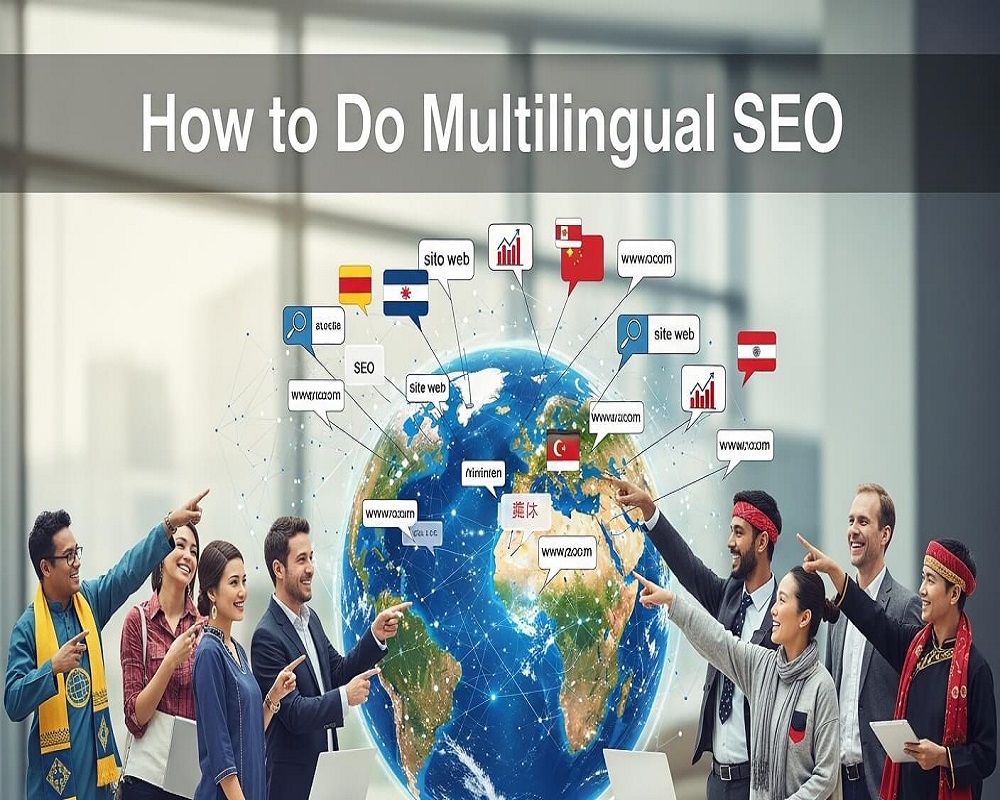
In today’s interconnected digital world, businesses aiming to expand globally must prioritize multilingual SEO to reach diverse audiences. Multilingual SEO involves optimizing website content in multiple languages to enhance visibility in search engine results pages (SERPs) for users searching in their native tongues. With over 5.4 billion internet users worldwide in 2025, and more than half accessing content in non-English languages, a robust multilingual SEO strategy is critical for driving organic traffic, improving user experience, and increasing conversions across international markets.
This comprehensive 3,000-word guide delves into the nuances of multilingual SEO, offering actionable insights from foundational principles to advanced techniques. Whether you’re a small e-commerce business targeting nearby countries or a global enterprise aiming for worldwide reach, mastering the art of aligning content with linguistic and cultural nuances can deliver significant results. We’ll explore strategic planning, technical implementation, content optimization, and performance tracking to help you dominate SERPs in every language.
Understanding Multilingual SEO: Core Concepts and Distinctions
Multilingual SEO focuses on creating and optimizing content in various languages to serve users’ preferred languages, ensuring search engines deliver the most relevant version. It differs from multiregional SEO, which targets users based on geographic location, though the two often intersect. For example, a site might offer French content for France (multiregional) while providing Québécois French for Canada (multilingual enhancement).
At its heart, multilingual SEO addresses search intent across languages through entity-based optimization. Entities like “Paris Eiffel Tower tour” in English might become “visite de la Tour Eiffel à Paris” in French, but effective SEO requires understanding semantic variations, such as regional slang or cultural references. Google’s algorithms, leveraging natural language processing (NLP) tools like BERT and MUM, prioritize content that aligns semantically with user intent, not just literal translations.
Key components include:
- Language Targeting: Using ISO 639-1 codes (e.g., “en” for English, “fr” for French) to signal content variations.
- Hreflang Annotations: HTML tags that inform search engines about alternate language versions.
- Localized Keyword Research: Identifying high-volume terms in target languages, factoring in search volume, competition, and intent.
By creating a semantic web of interconnected content clusters—pillar pages linking to language-specific subtopics—businesses can establish topical authority. For instance, a travel site might have a pillar on “European Vacations” linking to clusters in Spanish, German, and Italian, each tailored to local queries.
The Benefits of Multilingual SEO: Why It’s Worth the Investment
Multilingual SEO offers substantial advantages, especially in competitive global markets. Major companies like Amazon, Canva, and Wise have reported organic traffic increases exceeding 50% through multilingual strategies, contributing to significant revenue growth. For smaller businesses, it unlocks underserved niches, such as Spanish-speaking users in the US, where terms like “dentista cerca de mi” face less competition than English equivalents.
Key benefits include:
- Expanded Reach: Access to non-English speakers, who make up 75% of global internet users.
- Enhanced User Experience: Native-language content reduces bounce rates by up to 30% and boosts conversions.
- Improved Rankings: Proper implementation signals relevance to Google, improving positions in localized SERPs.
- Competitive Advantage: In regions like Europe or Asia, multilingual sites often outrank monolingual ones in voice searches and mobile queries.
Data indicates that sites with multilingual optimization see 200-300% traffic growth in target markets within six months. Additionally, it builds brand trust by respecting cultural contexts, converting visitors into loyal customers.
Challenges in Multilingual SEO: Overcoming Common Obstacles
While rewarding, multilingual SEO presents challenges that can undermine efforts if not addressed. A primary issue is inaccurate translations, which can misalign with search intent and lead to penalties for thin content. Automatic translation tools often produce errors in up to 40% of complex phrases.
Other hurdles include:
- Technical Complexity: Misconfigured hreflang tags cause indexing errors, affecting 35% of multilingual sites.
- Resource Demands: Keyword research and content creation require native expertise, increasing costs.
- Duplicate Content Risks: Without proper canonical tags, translated pages may be flagged as duplicates.
- Cultural Misalignment: Ignoring local customs, like date formats or idioms, can alienate audiences.
These can be mitigated with strategic planning, such as combining human-AI translation workflows and conducting regular audits with SEO tools.
Step-by-Step Guide to Implementing Multilingual SEO
Step 1: Conduct Market Research and Identify Target Audiences
Start by analyzing potential markets using tools like SEMrush’s Market Explorer to evaluate search demand and competition. Consider factors like GDP, internet penetration, and cultural affinity. For example, target French-speaking regions in Europe and Africa separately to account for dialect differences.
Prioritize markets with high search volumes for your niche. Use competitor analysis tools to identify traffic sources and untapped opportunities.
Step 2: Perform Localized Keyword Research
Keyword research is the foundation of multilingual SEO. Begin with seed terms translated by native speakers, then expand using tools like SEMrush’s Keyword Magic Tool, selecting country-specific databases. Focus on long-tail queries, which often have higher intent and lower competition.
Incorporate semantic entities: For “coffee machines,” research variations like “máquinas de café” in Spanish or “machines à café” in French, including LSI terms like “espresso maker” or “cafetière.” AI translation tools can help decouple language and region for precise targeting.
Step 3: Choose the Right URL Structure
Select a URL structure that balances SEO and usability:
- ccTLDs (e.g., example.fr): Ideal for strong geotargeting but costly to maintain.
- Subdomains (e.g., fr.example.com): Flexible for hosting and management.
- Subdirectories (e.g., example.com/fr/): Consolidates authority under one domain, often preferred for SEO.
Google advises against URL parameters. Subdirectories are typically best for global sites to maintain domain strength.
Step 4: Translate and Localize Content
Translation must go beyond words—localize for cultural nuances. Hire native translators to adapt idioms, currencies, and references. For example, a design platform might tailor visuals for French (elegant) vs. Mexican Spanish (vibrant) audiences.
Build content clusters: A pillar on “SEO Basics” links to language-specific clusters like “Fundamentos de SEO” in Spanish, enhancing semantic depth and topical authority.
Step 5: Implement Technical SEO Elements
Use hreflang tags to signal language alternates:
<link rel="alternate" hreflang="en" href="https://example.com/en/" />
<link rel="alternate" hreflang="fr" href="https://example.com/fr/" />
Include self-referencing tags and an x-default for fallback pages. Submit XML sitemaps with language variants to Google Search Console. Avoid automatic IP-based redirects; let users select languages via links.
Step 6: Optimize On-Page Elements
Tailor on-page elements: Keep titles under 60 characters and meta descriptions under 120, incorporating localized keywords. Use UTF-8 encoding for non-Latin scripts. Ensure internal links point to same-language pages and optimize images with localized alt text.
Step 7: Build Multilingual Backlinks
Acquire backlinks from language-specific sites through strategies like broken link building or digital PR. Analyze competitors’ backlink profiles for opportunities using tools like Backlink Analytics.
Step 8: Monitor, Measure, and Iterate
Track performance with Google Analytics and SEO platforms, monitoring metrics like organic traffic by language, bounce rates, and conversions. Audit hreflang tags regularly with tools like Site Audit. Adjust strategies based on data, such as refining keywords for emerging trends.
Common Mistakes to Avoid in Multilingual SEO
Avoid pitfalls like relying solely on automatic translations, which produce unnatural content. Other errors include inconsistent URL structures, missing self-referencing hreflang tags, and neglecting mobile optimization for global users. Never redirect based on browser settings, as it can hinder crawling. Validate implementations to prevent duplicate content issues.
Essential Tools for Multilingual SEO Success
Key tools include:
- SEMrush: For keyword research, site audits, and backlink analysis.
- Ahrefs: For AI-assisted translations and competitor insights.
- Google Search Console: For hreflang validation and performance tracking.
- WPML or Weglot: For seamless WordPress multilingual setups.
Real-World Case Studies: Multilingual SEO Success Stories
A forex platform achieved 425% organic growth in six months by synchronizing 41 language sections with hreflang and internal links, overcoming technical challenges. A US SaaS company expanded into French markets, boosting visibility through localized SEO. A global streaming service optimized hreflang for geo-targeting, enhancing user access worldwide.
Future Trends in Multilingual SEO
As AI evolves, expect smarter translation tools and enhanced voice search optimization. Edge SEO and Web3 integrations will enable dynamic, personalized multilingual experiences, while Google’s focus on intent will further emphasize semantic strategies.
Frequently Asked Questions About Multilingual SEO
1.What is the difference between multilingual and international SEO?
Multilingual SEO targets language variations, while international (multiregional) SEO focuses on geographic regions, often used together for maximum impact.
2.How do I implement hreflang tags correctly?
Add rel=”alternate” links in the head section with language codes, including self-references and x-default for fallback.
3.What are the best tools for multilingual keyword research?
SEMrush’s Keyword Magic Tool and Ahrefs excel for localized keyword volumes and translations.
4.How can I avoid duplicate content in multilingual sites?
Use canonical tags and create unique, localized content beyond direct translations.
5.Is automatic translation sufficient for SEO?
No, it risks errors; human localization is essential for aligning with search intent.
6.What URL structure is best for multilingual SEO?
Subdirectories are often ideal for consolidating domain authority, but choose based on your scale.
7.How does multilingual SEO impact voice search?
It optimizes for conversational queries in native languages, improving rankings on devices like Alexa.
8.Can small businesses benefit from multilingual SEO?
Yes, by targeting niche languages in local markets with lower competition.
9.How to measure multilingual SEO success?
Track language-specific traffic, conversions, and rankings using Google Analytics and SEO tools.
10.What role does culture play in multilingual SEO?
Localizing for customs, idioms, and preferences enhances relevance and builds trust.
Conclusion: Mastering Multilingual SEO for Global Success
Multilingual SEO is a strategic powerhouse for businesses seeking international growth, combining technical precision with cultural sensitivity. By researching markets, optimizing content, and leveraging data-driven iterations, you can connect with global audiences effectively. As search algorithms evolve, staying agile with semantic and user-focused strategies will ensure lasting success in diverse linguistic markets.

Saad Raza is an SEO specialist with 7+ years of experience in driving organic growth and improving search rankings. Skilled in data-driven strategies, keyword research, content optimization, and technical SEO, he helps businesses boost online visibility and achieve sustainable results. Passionate about staying ahead of industry trends, Saad delivers measurable success for his clients.