
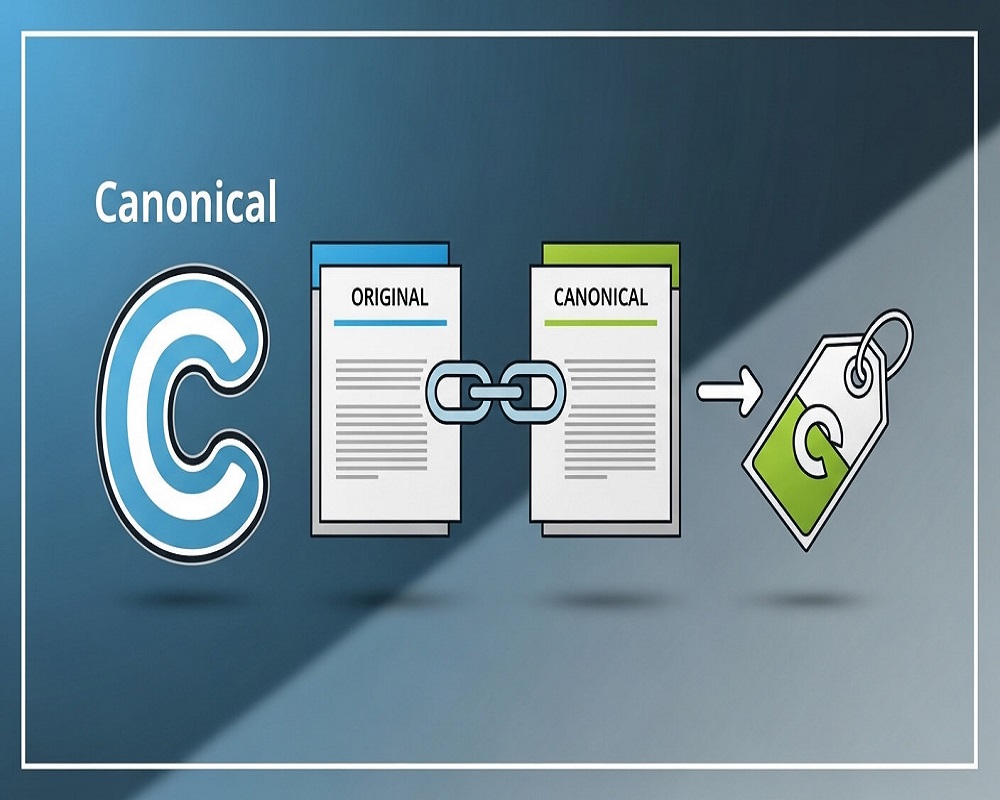
Quick answer
A canonical tag is an HTML element, rel=canonical, placed in a page’s head to tell search engines which URL is the preferred version when similar or duplicate pages exist. It consolidates ranking signals, reduces duplicate content confusion and helps the right page appear in results. Use it for parameters, syndicated content and near-duplicate pages.
The HTTP Archive Web Almanac (2024) found canonical tags on 65 per cent of mobile pages and 69 per cent of desktop pages, so they are a widely used technical SEO tool.
In the dynamic world of search engine optimization (SEO), managing duplicate content is a critical challenge for website owners and digital marketers. Duplicate content can dilute your site’s authority, confuse search engines, and harm your rankings. This is where the canonical tag comes in. Known as the “rel=canonical” tag, it’s a powerful tool that signals to search engines which version of a page should be considered the primary one when multiple similar or identical pages exist.
At its core, a canonical tag is a snippet of HTML code placed in the head section of a webpage, looking like this: <link rel=”canonical” href=”https://example.com/preferred-page/” />. It doesn’t redirect users or bots; instead, it acts as a hint to search engines, helping them consolidate ranking signals and avoid penalizing your site for duplicate content. Google defines a canonical URL as the most representative page from a set of duplicates, a choice critical for delivering the best user experience by indexing and ranking the preferred version.
Why does this matter? Duplicate content issues stem from various sources, such as URL variations (HTTP vs. HTTPS, www vs. non-www), parameterized URLs from e-commerce filters, or syndicated content across domains. Without proper handling, these can split link equity, waste crawl budget, and reduce visibility in search results. Canonical tags address these by directing search engines to prioritize one URL, strengthening your site’s SEO performance.
This comprehensive guide explores what canonical tags are, their importance, how they work, when and how to implement them, common pitfalls, best practices, real-world examples, and answers to high-volume questions. Whether you’re a beginner or an experienced SEO professional, this article equips you to use canonical tags effectively.
The Importance of Canonical Tags in SEO
Canonical tags are vital for maintaining a clean website structure that search engines can easily understand. Search engines crawl billions of pages daily, and when they encounter duplicates, they must decide which to index and rank. This decision can misalign with your goals, leading to suboptimal results. Canonical tags give you control, ensuring link equity—the value from backlinks—is consolidated to your preferred page.
A key benefit is preventing duplicate content issues. While Google doesn’t explicitly penalize duplicates, it may filter them out, reducing visibility. For example, an e-commerce site with product pages accessible via multiple URLs due to sorting options (e.g., /product?sort=price-low vs. /product?sort=price-high) risks splitting traffic and rankings without canonicalization.
Canonical tags also enhance crawl efficiency. Search engines have a limited crawl budget per site, meaning they can only visit so many pages. By signaling duplicates, you help bots focus on unique content, improving indexing for critical pages. This is crucial for large sites with thousands of pages, where inefficient crawling can overlook important content.
From an authority perspective, canonical tags consolidate signals like backlinks, social shares, and user engagement metrics to the canonical URL, boosting its ranking potential. Industry experts note that canonical tags manage similar content without removing pages, preserving user experience while optimizing SEO.
Canonicalization aligns with Google’s Helpful Content guidelines, prioritizing user-focused, high-quality experiences. By using canonical tags, you show search engines your site is organized and trustworthy, enhancing E-A-T (Expertise, Authoritativeness, Trustworthiness) signals. Case studies show traffic recovery after proper canonical implementation.
How Canonical Tags Work Technically
Understanding the mechanics of canonical tags is essential. When a search engine crawler visits a page with a canonical tag, it notes the specified URL as the preferred version. If multiple pages point to the same canonical URL, the crawler consolidates indexing signals to that primary page.
The tag is added to the <head> section of the HTML, like this:
Self-referential tags, where the href points to the page itself, reinforce its status. Cross-domain canonicals are possible, where one site’s page points to another’s as the master, useful for syndicated content.
Google treats canonical tags as hints, not directives, and may ignore them if they conflict with other signals, like redirects or internal links. For example, if a canonical points to a non-indexable page (e.g., with a noindex tag), Google might choose another URL.
Canonical tags interact with other SEO elements. They don’t pass 100% of link equity like 301 redirects but consolidate most signals. In hreflang setups for international sites, canonicals ensure the correct language version is prioritized per region.
Tools like Google Search Console (GSC) help monitor canonical effectiveness, showing “User-declared canonical” vs. “Google-selected canonical” to highlight discrepancies, allowing quick fixes.
When to Use Canonical Tags
Knowing when to use canonical tags prevents over- or under-use. Deploy them for near-duplicate or identical content that serves a user purpose but shouldn’t compete in search results.
Common scenarios include:
- URL Parameter Variations: E-commerce sites generate duplicates via filters (e.g., /shoes?color=red vs. /shoes?color=blue). Canonicalize to the base URL.
- HTTP/HTTPS and WWW/Non-WWW Duplicates: Point all variants to the secure, preferred domain.
- Paginated Content: For blog archives, use self-referential canonicals on each page, not pointing all to page 1.
- Syndicated Content: If an article is republished elsewhere, the original site should have a self-canonical, with replicas pointing back.
- Mobile vs. Desktop Versions: In responsive designs, this is less common, but separate mobile URLs should canonicalize to desktop if needed.
- Printer-Friendly Pages or AMP Versions: Canonicalize to the standard HTML page.
Avoid using canonicals for entirely different content or when a 301 redirect is better (e.g., permanent page moves). Canonicals keep pages accessible, while redirects remove them.
For international sites, combine with hreflang tags to specify language/region preferences without confusing canonical signals.
How to Implement Canonical Tags
Implementation varies by platform but follows consistent principles.
- Manual HTML Addition: Edit the page’s source code to insert the tag in the <head>. Use absolute URLs for accuracy.
- CMS Plugins: In WordPress, use plugins like Yoast SEO or Rank Math to set canonicals per post/page. Shopify and Squarespace have built-in options.
- HTTP Headers: For non-HTML files like PDFs, add canonical via server headers.
- Sitemaps: Submit preferred URLs in XML sitemaps to reinforce canonical hints.
- Tools for Auditing: Use crawlers like Screaming Frog or Sitebulb to verify canonical consistency.
After implementation, validate in GSC and monitor for errors like “Alternate page with proper canonical tag,” indicating Google accepted your hint but didn’t index the duplicate.
For large sites, automate with server-side rules or JavaScript, ensuring bots can parse them.
Canonical Tags vs. 301 Redirects: Key Differences
Choosing between canonical tags and 301 redirects is a common SEO debate. Both address duplicates but serve different purposes.
- 301 Redirects: These permanently move users and bots to another URL, passing nearly all link equity. Use for retired pages or domain migrations. They reduce crawl budget waste since duplicates aren’t crawled.
- Canonical Tags: These are hints, not redirects. Pages remain accessible, ideal for user-facing duplicates like filtered views. They consolidate signals but allow content to exist.
Key differences:
| Aspect | Canonical Tag | 301 Redirect |
|---|---|---|
| User Experience | Pages stay live; no redirection | Users auto-redirected |
| Link Equity | Consolidates most signals | Passes ~90-99% equity |
| Crawl Impact | Duplicates still crawled | Saves crawl budget |
| When to Use | Similar content needed | Permanent removal |
If duplicates must persist for UX, use canonicals; for cleanup, use 301s.
Common Mistakes with Canonical Tags and How to Avoid Them
Even experienced SEOs make canonical errors, leading to indexing issues or lost rankings.
- Multiple Canonical Tags on One Page: This confuses bots; ensure only one per page.
- Pointing to Wrong URLs: Canonicals to 404s or non-indexable pages are ignored.
- Ignoring Self-Referentials: Always add them to prevent Google choosing alternatives.
- Pagination Errors: Don’t point all paginated pages to page 1; use self-canonicals.
- Cross-Domain Misuse: Ensure the target is the true original.
- Combining with Noindex: This sends mixed signals; choose one.
- Relative vs. Absolute URLs: Use absolute to avoid errors.
- Over-Reliance: Canonicals aren’t foolproof; back with consistent internal linking.
- Not Monitoring GSC: Check for “Google-selected canonical” mismatches.
- Dynamic URL Issues: Parameters can create unintended duplicates; canonicalize properly.
Auditing tools and GSC help spot and fix these issues.
Best Practices for Canonical Tags
To maximize effectiveness, follow these practices:
- Use Self-Referential Canonicals: Point to the page itself as a safety net.
- Prefer HTTPS: Google favors secure URLs; canonicalize accordingly.
- Absolute URLs Only: Avoid relative paths for clarity.
- Consistent Implementation: Apply site-wide rules, especially for large sites.
- Combine with Other Signals: Use robots.txt, meta robots, and internal links to reinforce.
- Handle Pagination Correctly: Self-canonical each page in series.
- Cross-Domain Caution: Only for identical content; monitor for plagiarism.
- Test Thoroughly: Use Google’s URL Inspection tool post-implementation.
- Avoid Chaining: Point directly to the master URL.
- Update for Changes: Adjust canonicals as content evolves.
These practices ensure canonicals enhance SEO.
Real-World Examples of Canonical Tags in Action
Here are practical examples:
Example 1: E-Commerce Filters
A shoe store has /shoes and /shoes?size=10. Add <link rel=”canonical” href=”https://store.com/shoes” /> to the filtered page to consolidate rankings.
Example 2: Syndicated Content
A blog post on site A is republished on site B. Site B adds <link rel=”canonical” href=”https://siteA.com/post” />, crediting site A.
Example 3: Pagination
For /blog?page=1, /blog?page=2: Each has its own self-canonical.
Example 4: International Variants
US site canonicalizes to itself; UK version uses hreflang but self-canonical.
Case studies show a 20% traffic increase after fixing canonical errors by consolidating duplicates.
Frequently Asked Questions About Canonical Tags
Addressing high-volume queries:
Do Canonical Tags Pass PageRank?
Yes, they consolidate most PageRank to the canonical URL, similar to redirects but not identically.
Are Self-Referencing Canonical Tags Necessary?
Yes, they prevent Google from selecting alternatives.
What’s the Difference Between Absolute and Relative Canonical URLs?
Absolute URLs are preferred for accuracy; relative URLs can cause issues.
Why Is Google Ignoring My Canonical Tag?
Possible reasons include conflicts with redirects, noindex, or stronger signals elsewhere.
How Do Canonical Tags Affect SEO for Paginated Pages?
Use self-referentials; avoid pointing to the first page.
Can Canonical Tags Be Used Cross-Domain?
Yes, for identical content, but ensure ownership or agreement.
What If Canonical Points to a 404?
Google ignores it; fix to a live page.
How Many Canonical Tags Can a Page Have?
Only one; multiples invalidate them.
Do Canonical Tags Impact Crawl Budget?
They don’t prevent crawling duplicates, so use judiciously.
Should Query Strings Be Included in Canonical URLs?
If they change content significantly, yes; otherwise, canonicalize to the base.
Conclusion
Canonical tags are essential for modern SEO, managing duplicate content, consolidating authority, and improving site performance. By understanding their mechanics, implementing them correctly, and avoiding mistakes, you can boost rankings and user experience. Regularly audit your site, stay updated with Google’s guidelines, and test changes for optimal results. Canonical tags not only resolve technical issues but also contribute to a more authoritative, trustworthy online presence.