
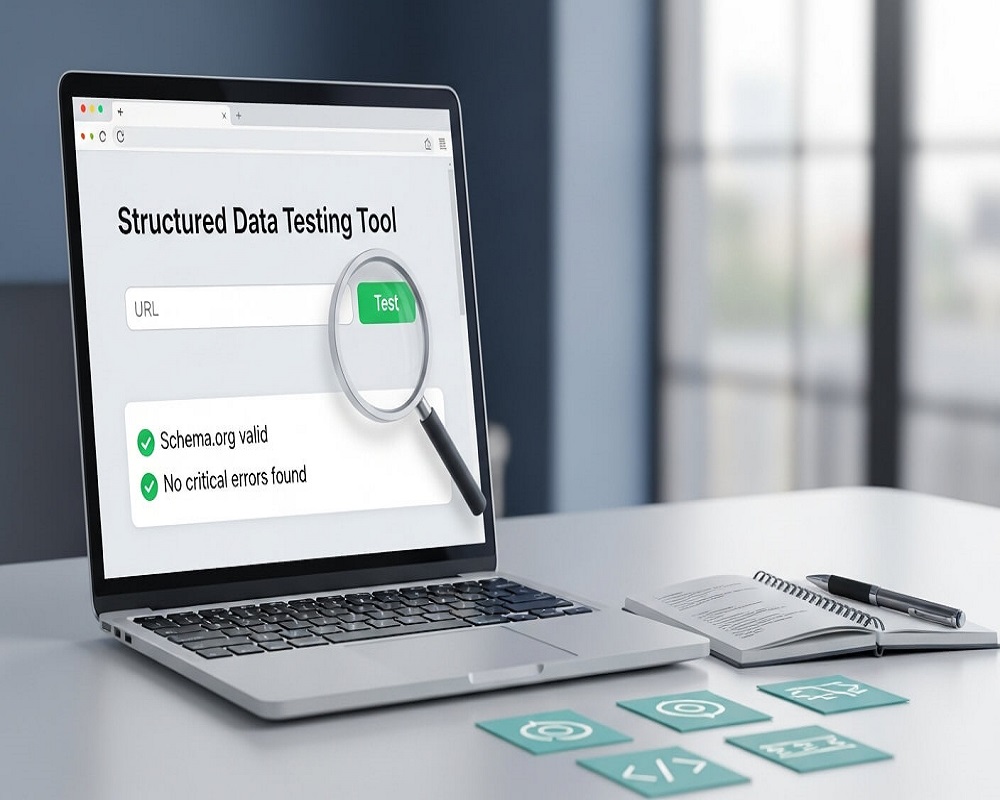
Short answer: Google’s Structured Data Testing Tool (SDTT) no longer exists. Google stopped using it for rich result checks in 2020 and, since August 2021, its old address sends you to a page that points to two replacements: the Rich Results Test, which shows whether your markup qualifies for Google’s rich results, and the Schema Markup Validator, which checks any schema.org markup against the standard. Use both, then monitor in Search Console.
This guide is for site owners, developers and SEOs who searched for the Structured Data Testing Tool and found it gone, or who follow an old tutorial that still sends them there. By the end you will know exactly what replaced it, which tool to open for which job, how to read the results, and how to fix the errors I see most often when I audit schema on client sites.
What was Google’s Structured Data Testing Tool?
The Structured Data Testing Tool was a free Google page where you pasted a URL or a block of code and got back a list of every structured data item it found: JSON-LD, Microdata or RDFa, each with its properties, plus errors and warnings. For most of the 2010s it was the first thing SEOs opened after adding schema markup to a page.
It had two jobs mixed together. It checked whether markup followed schema.org, and it hinted at whether Google could use it. That mix caused confusion, because a page could be “valid” in SDTT and still not qualify for any rich result in Google Search.
How it was retired (the real timeline)
Many articles give a single “deprecated in 2021” date. The actual sequence, from Google’s own announcements, is more useful because it explains why there are now two tools:
| Date | What happened |
|---|---|
| 7 July 2020 | Google announced the Rich Results Test was out of beta, supported all Google rich result features, and said it was preparing to deprecate SDTT. |
| 15 December 2020 | After feedback, Google said it would refocus SDTT instead: move it to a new domain for the schema.org community, check syntax and schema.org compliance only, and stop checking Google rich result types. |
| 11 May 2021 | Schema.org announced the new home, the Schema Markup Validator. |
| 9 August 2021 | The Schema Markup Validator had stabilised, and Google began redirecting the old SDTT to a landing page that helps you choose a tool. |
So the tool did not simply vanish. It was split in two: Google kept the “will this work in Google Search?” job in the Rich Results Test, and the “is this valid schema.org?” job moved to schema.org.
What replaced the Structured Data Testing Tool?
Rich Results Test (search.google.com/test/rich-results)
This is the tool to use when you care about how Google Search treats your markup. According to Google’s Rich Results Test help page, it accepts a URL or a code snippet, supports JSON-LD, RDFa and Microdata, crawls as Google-InspectionTool with a smartphone user agent by default, and reports which rich result types it found with any errors or suggestions. It only reports types Google supports in Search, so a perfectly valid ExercisePlan will show “No items detected”, which is expected.
Two details from Google’s documentation matter in practice. It tests the rendered page, so markup injected by JavaScript is picked up (useful if you rely on JavaScript SEO setups such as tag-manager schema). And it obeys robots.txt and noindex: if Google cannot crawl the page, it cannot test it.
Schema Markup Validator (validator.schema.org)
This is the direct descendant of SDTT, run for the schema.org community. It extracts every item and checks it against the full schema.org vocabulary, whatever search engine (or none) uses it. It is the better tool for spotting typos in property names, wrong nesting, and types Google does not use, such as ExercisePlan or most MedicalEntity subtypes. It does not tell you whether you will get a rich result.
Search Console rich result reports
The two testers check one page at a time. Search Console’s enhancement reports (under “Shopping” and “Enhancements”) show valid and invalid items across the whole site after Google crawls them, and URL Inspection shows what Google detected on a live, indexed URL. This is where you catch a template change that broke markup on 3,000 product pages. To see whether valid markup is actually earning clicks, filter by search appearance in the Search Console performance report.
| Question you are asking | Rich Results Test | Schema Markup Validator | Search Console |
|---|---|---|---|
| Can this page get a Google rich result? | Yes, the main purpose | No | Yes, after crawling |
| Is my schema.org syntax and vocabulary correct? | Only for Google-supported types | Yes, all types | Only for supported types |
| Can I test code before it goes live? | Yes (Code tab) | Yes (Code snippet) | No |
| Does it render JavaScript? | Yes | Not documented; paste the rendered HTML to be sure | Yes |
| Does it show problems across the whole site? | No | No | Yes |
Which structured data tool should I use?
Is the page already live and crawlable by Google?
Do you need to check many pages at once (a whole template or section)?
Is the markup for a type Google lists as a rich result (Product, Article, Event, Recipe, Review snippet, Breadcrumb, Organization and similar)?
Is the markup for a type Google uses for rich results?
Result: start in Search Console’s enhancement reports to find which URLs have errors, then open a few examples in URL Inspection and the Rich Results Test.
Result: paste the code into the Rich Results Test (Code tab) to check eligibility, then into the Schema Markup Validator to catch vocabulary mistakes.
Result: use the Schema Markup Validator. The Rich Results Test will say “No items detected” for types Google does not show as rich results, and that is not an error.
Result: test the live URL in the Rich Results Test, check the preview, and if it passes, request indexing through URL Inspection.
For a bulk presence check across many URLs, the structured data checker lists the types on each page and flags missing required properties.
Not sure if this is hurting your site?
Get the fixes that matter most, in priority order.
How to test structured data, step by step
This is the order I follow when I add or change schema on a site. It takes a few minutes per template and saves a lot of guessing later.
- Write or generate the markup. I prefer JSON-LD because it sits in one block and does not tangle with the HTML. If you are starting from scratch, my free schema markup generator gives you a clean starting point.
- Test the code before publishing. Open the Rich Results Test, switch to the Code tab, paste the full HTML or just the script block, and run it. Fix every error.
- Check vocabulary in the Schema Markup Validator. Paste the same code. This catches misspelt properties (
datepublishedinstead ofdatePublished) that Google may silently ignore. - Publish and test the live URL. Run the Rich Results Test on the real URL with the smartphone user agent. This confirms the markup survives your theme, caching, plugins and any rendering step.
- Compare markup with the visible page. Prices, ratings, dates and names in the JSON-LD must match what a visitor sees.
- Request indexing for important pages through URL Inspection in Search Console.
- Watch the enhancement reports over the next few weeks, and again after every theme, plugin or template change.
Reading the results: errors, warnings and “no items”
Google’s own explanation is simple: errors disqualify the item from showing as a rich result, while warnings may limit how it looks but the page stays eligible. A missing image warning, for example, can mean a rich result without an image. Here is how I translate the messages I see most often:
| Message | What it usually means | Typical fix |
|---|---|---|
| Missing field “price” (or “offers”, “review”, “aggregateRating”) | A required property for that rich result is absent | Add the property, or remove the item if the page genuinely has no price or rating |
| Invalid value in field “startDate” | Date not in ISO 8601 format | Use 2026-11-14T19:00+05:00, not “14 Nov” |
| Missing field “image” (warning) | Optional but recommended property absent | Add a crawlable image URL if one exists |
| Parsing error: missing ‘,’ or ‘}’ | Broken JSON, often from a plugin or a pasted quote mark | Validate the block; replace curly quotes with straight quotes |
| No items detected | No Google-supported type found, or markup not rendered | Check the type is supported; check the Schema Markup Validator; check robots.txt |
| URL cannot be crawled / Crawl failed | Blocked by robots.txt, noindex, a firewall or login | Test with the Code tab, or unblock Google-InspectionTool |
Worked example: a LocalBusiness block that fails, and the fix
This is the kind of block I often find hand-pasted into a footer template on small business sites. Run it through the Rich Results Test and you get a parsing error and nothing else:
<script type="application/ld+json">
{
  "@context": "https://schema.org",
  "@type": "MedicalClinic",
  "name": "Example Clinic",
  "telephone": "0300-1234567",
  "address": {
    "@type": "PostalAddress",
    "streetAddress": "Block 13, Gulistan-e-Johar",
    "addressLocality": "Karachi",
    "addressCountry": "PK",
  }
}
</script>
The trailing comma after "PK" breaks JSON, so the whole block is ignored. Remove it and the Schema Markup Validator accepts the item. I would also change the phone to the international format +92-300-1234567 so it matches the Google Business Profile and directory listings. The name, number and address are placeholders.
Structured data testing checklist
Before and after you publish schema
- Pick supported types: check Google’s search gallery for the rich result you want; do not expect a result for unsupported types.
- Use one format per item: JSON-LD is easiest to maintain; avoid duplicating the same item in Microdata and JSON-LD.
- Match the visible page: every price, rating, date and name in the markup appears on the page.
- Run the Rich Results Test (Code): zero errors before publishing.
- Run the Schema Markup Validator: no misspelt or misplaced properties.
- Test the live URL on smartphone: markup survives theme, cache and plugins.
- Check for duplicates: SEO plugins and themes often both output Organization or Article markup.
- Remove JSON-LD comments: the Rich Results Test ignores them, but they are not valid JSON-LD.
- Use ISO 8601 dates and full URLs: with time zone where relevant (+05:00 for Pakistan).
- Request indexing: for key pages via URL Inspection.
- Review enhancement reports: after two to four weeks and after every template change.
- Retest after plugin updates: schema plugins change output between versions.
Ticks are saved in your browser.
Other structured data validators worth knowing
- Bing Webmaster Tools: URL Inspection shows the markup Bing found. Worth a check if Bing or Copilot traffic matters to you.
- Crawlers (Screaming Frog, Sitebulb): both can extract and validate structured data across a full crawl, which is the practical way to audit large sites.
- JSON-LD Playground (json-ld.org): useful for debugging complex nested graphs and
@idreferences. - Browser extensions: handy for a quick look, but always confirm in the official tools because extensions may not render the page like Google does.
For WordPress sites, the SEO plugin is usually the biggest source of schema. My WordPress technical SEO checklist covers how to stop a theme and a plugin from outputting competing blocks.
Common mistakes I find when auditing schema
- Treating “valid” as “will show”. Google says correct markup does not guarantee a rich result. Quality, relevance and the query decide.
- Chasing rich results Google has retired. HowTo rich results were dropped in September 2023, several types (such as Course Info and Estimated Salary) were phased out in 2025, and FAQ rich results stopped showing in May 2026. Unused markup does no harm, but it will not earn a visible result.
- Markup for content that is not on the page, such as review stars on a service page with no reviews. That is a quality problem, not a testing problem, and it can lead to a manual action.
- Testing only one URL. A template fix on one page does not prove the other 500 are fine; use Search Console.
- Location schema copied across every page. For multi-branch businesses each branch page should carry its own address, which I explain in my guide to schema for local SEO.
Structured data still matters beyond rich results. It helps search engines connect your pages to clear entities, which supports entity-based SEO and the way AI Overviews and similar features describe your business. Keep it accurate and tested, and drop the expectation that every type will produce stars or dropdowns.
Frequently asked questions
Is Google’s Structured Data Testing Tool still available?
No. Since 9 August 2021 the old address redirects to a page that points you to the Rich Results Test and the Schema Markup Validator. The validator at validator.schema.org is the closest equivalent to the old tool.
What replaced the Structured Data Testing Tool?
Two tools. The Rich Results Test checks whether markup qualifies for Google’s rich results and previews them. The Schema Markup Validator, run by schema.org, checks any schema.org markup for syntax and vocabulary, whatever search engine uses it.
What is the difference between the Rich Results Test and the Schema Markup Validator?
The Rich Results Test only reports types Google uses for rich results and tells you if the page is eligible. The Schema Markup Validator reports every schema.org item but says nothing about Google eligibility. Use the first for Google, the second for correctness.
Can I test structured data without a live URL?
Yes. Both tools accept pasted code. In the Rich Results Test choose the Code tab; in the Schema Markup Validator choose the code snippet option. This is the safest way to test changes on a staging site that Google cannot reach.
Why does the Rich Results Test say “No items detected” when my schema is there?
Usually because the type is not one Google shows as a rich result, the JSON has a syntax error, or Google cannot crawl the page. Run the code through the Schema Markup Validator; if it finds the items, the markup is fine and simply not eligible for a Google rich result.
Does passing the Rich Results Test guarantee a rich result?
No. It only confirms eligibility. Google decides whether to show a rich result based on the query, the page and its own quality systems, and some types (FAQ, HowTo and others) are no longer shown at all.
Sources
- Google Search Central Blog, “An update on Structured Data Testing Tool” (December 2020, updated May and August 2021).
- Google Search Central Blog, “The Rich Results Test is out of beta” (July 2020).
- Google Search Console Help, “Rich Results Test” (accessed 2026).
- Google Search Central, “Latest documentation updates” (accessed October 2026).
- HTTP Archive, “Web Almanac 2024: Structured Data” (2024).
If your schema passes the tests but rich results never appear, or Search Console shows errors across whole templates, my technical SEO services include a structured data review, or you can send me the URL and I will take a look.
Request received
Thank you! Saad will contact you within the next 24 hours.
Keep an eye on your phone and inbox.