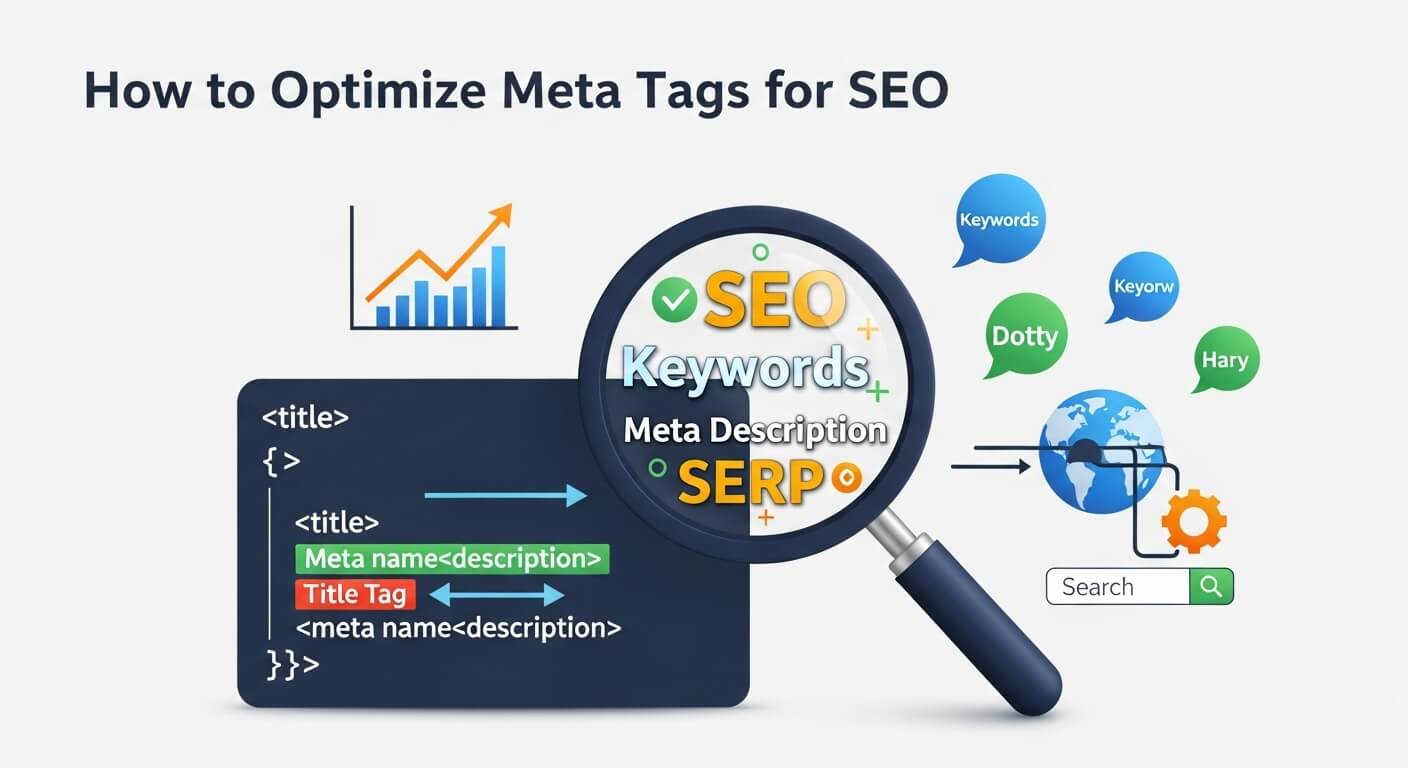
How to Optimize Meta Tags for SEO: Step-by-Step Guide
Meta tags play a critical role in how to optimize meta tags for SEO, serving as essential components that help search engines understand your webpage’s content and improve its visibility. In 2025, with search algorithms evolving, optimizing meta tags remains a cornerstone of effective search engine optimization (SEO). This comprehensive guide provides a step-by-step approach to crafting meta tags that boost rankings, drive click-through rates (CTR), and align with user intent. Drawing from authoritative sources like Moz, Search Engine Journal, and Google’s SEO guidelines, this article answers high-volume questions to help you master meta tag optimization for better search performance.
What Are Meta Tags and Why Are They Important for SEO?
Meta tags are snippets of HTML code embedded in a webpage’s <head> section, providing metadata about the page’s content. They don’t appear on the page itself but are visible to search engines and browsers. For SEO, meta tags help search engines index pages, understand relevance, and display information in search results, influencing both rankings and user engagement.
Key Meta Tags for SEO
- Meta Title (Title Tag): The clickable headline in search results.
- Meta Description: A brief summary displayed below the title in search results.
- Meta Keywords: Largely obsolete but still used in specific contexts.
- Meta Robots: Guides search engine crawlers on indexing and following.
- Meta Viewport: Ensures mobile-friendliness.
- Open Graph and Twitter Card Tags: Enhance social media sharing.
- Canonical Tag: Prevents duplicate content issues.
Why Meta Tags Matter
- Search Engine Relevance: Meta titles and descriptions signal a page’s topic, helping Google match it to user queries.
- Click-Through Rates (CTR): Compelling meta titles and descriptions attract clicks, with a 2024 Backlinko study showing a 20–30% CTR boost from optimized tags.
- User Experience: Clear, relevant meta tags improve user trust and engagement.
- Mobile Optimization: Tags like viewport ensure pages display correctly on mobile devices, a key ranking factor since Google’s mobile-first indexing in 2020.
- Social Sharing: Open Graph and Twitter Card tags control how content appears on social platforms, driving traffic.
Common Question: Why Are Meta Tags Important for SEO in 2025?
Meta tags help search engines understand page content, improve rankings, and boost CTR by crafting compelling snippets in search results. They also enhance mobile usability and social media visibility, critical for modern SEO.
Step-by-Step Guide to Optimizing Meta Tags for SEO
Follow these steps to optimize your meta tags effectively, ensuring alignment with Google’s algorithms and user expectations in 2025.
Step 1: Optimize the Meta Title (Title Tag)
The meta title is the most critical SEO element, appearing as the clickable headline in search results and browser tabs.
- Best Practices:
- Length: Keep titles under 60 characters to avoid truncation in search results (Google’s pixel limit is ~600px).
- Keyword Placement: Include the primary keyword (e.g., “how to optimize meta tags for SEO”) near the start for relevance, per Moz’s 2024 guidelines.
- Branding: Add your brand name at the end (e.g., “ | YourBrand”) if space allows.
- Uniqueness: Ensure each page has a unique title to avoid duplicate content issues.
- Action-Oriented Language: Use verbs like “learn,” “discover,” or “boost” to entice clicks.
- Avoid Keyword Stuffing: Overloading titles with keywords can lead to penalties.
- Example:
<title>How to Optimize Meta Tags for SEO in 2025 | YourBrand</title> - Tools: Use Yoast SEO, Rank Math, or SEMrush’s On-Page SEO Checker to analyze title effectiveness.
Common Question: How Long Should a Meta Title Be for SEO?
A meta title should be 50–60 characters (or ~600 pixels) to display fully in search results. Tools like Moz’s Title Tag Preview can check for truncation.
Step 2: Craft an Engaging Meta Description
The meta description is a 160-character summary displayed below the title in search results, influencing CTR.
- Best Practices:
- Length: Aim for 120–160 characters to avoid truncation (~920px limit).
- Keyword Inclusion: Include the primary keyword naturally to reinforce relevance.
- Compelling Copy: Use action words (e.g., “Learn,” “Get”) and highlight benefits (e.g., “Boost rankings fast”).
- Unique Descriptions: Write unique descriptions for each page to avoid duplication.
- Call-to-Action (CTA): Include phrases like “Click to learn more” or “Start now” to drive clicks.
- Match User Intent: Align with search intent (informational, navigational, transactional).
- Example:
<meta name="description" content="Learn how to optimize meta tags for SEO in 2025 with our step-by-step guide. Boost rankings and CTR with expert tips!"> - Tools: Yoast SEO, Ahrefs’ Site Audit, or SERP Simulator to preview descriptions.
Common Question: Does the Meta Description Affect SEO Rankings?
Meta descriptions don’t directly impact rankings but influence CTR, which Google uses as a ranking signal. A compelling description can boost clicks by 20–30%, per a 2024 Backlinko study.
Step 3: Use Meta Robots Tag Strategically
The meta robots tag controls how search engines crawl and index your page.
- Common Directives:
index, follow: Allows indexing and link crawling (default).noindex, nofollow: Prevents indexing and link following (e.g., for private pages).index, nofollow: Indexes the page but doesn’t follow links (e.g., for user-generated content).noindex, follow: Prevents indexing but allows link crawling.
- Best Practices:
- Use
noindexfor low-value pages (e.g., login pages, thank-you pages). - Avoid overusing
noindexto prevent devaluing important content. - Combine with canonical tags to manage duplicate content.
- Use
- Example:
<meta name="robots" content="index, follow">
Common Question: When Should I Use the Noindex Meta Tag?
Use noindex for pages like login portals, duplicate content, or internal tools that shouldn’t appear in search results to focus crawl budget on high-value pages.
Step 4: Optimize Meta Viewport for Mobile SEO
The meta viewport tag ensures your site is mobile-friendly, a critical ranking factor since Google’s mobile-first indexing.
- Best Practices:
- Use the standard viewport tag for responsive design.
- Ensure text, images, and buttons are mobile-optimized.
- Test mobile usability with Google’s Mobile-Friendly Test.
- Example:
<meta name="viewport" content="width=device-width, initial-scale=1.0">
Common Question: Why Is the Meta Viewport Tag Important for SEO?
The viewport tag ensures mobile-friendliness, a key ranking factor since Google’s 2020 mobile-first indexing. It improves user experience and prevents penalties for non-responsive sites.
Step 5: Leverage Open Graph and Twitter Card Tags for Social Sharing
Social meta tags control how your content appears when shared on platforms like Facebook, Twitter, or LinkedIn, driving traffic and engagement.
- Open Graph Tags:
og:title: Social media title (similar to meta title).og:description: Social media description.og:image: Image for the share preview (recommended 1200x630px).og:url: Canonical URL of the page.og:type: Content type (e.g., article, website).
- Twitter Card Tags:
twitter:card: Type of card (e.g., summary, summary_large_image).twitter:title,twitter:description,twitter:image: Similar to Open Graph.
- Best Practices:
- Use high-quality, relevant images for
og:imageandtwitter:image. - Keep titles and descriptions concise and aligned with meta tags.
- Test previews with Facebook’s Sharing Debugger or Twitter’s Card Validator.
- Use high-quality, relevant images for
- Example:
<meta property="og:title" content="How to Optimize Meta Tags for SEO in 2025">
<meta property="og:description" content="Boost your site’s rankings with our guide to optimizing meta tags for SEO. Learn expert tips now!">
<meta property="og:image" content="https://yourwebsite.com/images/seo-guide.jpg">
<meta property="og:url" content="https://yourwebsite.com/seo-meta-tags">
<meta name="twitter:card" content="summary_large_image">
Common Question: How Do Open Graph Tags Help with SEO?
Open Graph tags don’t directly affect rankings but improve social media visibility, driving traffic and engagement, which indirectly boosts SEO through increased user signals.
Step 6: Implement Canonical Tags to Avoid Duplicate Content
The canonical tag tells search engines the preferred version of a page to index, preventing penalties for duplicate content.
- Best Practices:
- Use canonical tags for pages with similar content (e.g., HTTP vs. HTTPS, mobile vs. desktop).
- Point to the primary URL with absolute paths.
- Avoid conflicting canonical tags across pages.
- Example:
<link rel="canonical" href="https://yourwebsite.com/seo-meta-tags">
Common Question: When Should I Use a Canonical Tag for SEO?
Use a canonical tag for duplicate or similar pages (e.g., www vs. non-www, product variations) to consolidate ranking signals and avoid penalties.
Step 7: Avoid Overusing Meta Keywords (Obsolete)
The meta keywords tag, once used to list keywords, is largely ignored by Google since 2009 due to abuse.
- Best Practices:
- Skip meta keywords for Google SEO.
- Focus on on-page content and other meta tags for keyword relevance.
- Use meta keywords sparingly for niche search engines (e.g., Yandex) if targeting specific markets.
- Example (if used for niche purposes):
<meta name="keywords" content="seo meta tags, optimize meta tags, seo guide 2025">
Common Question: Are Meta Keywords Still Relevant for SEO in 2025?
No, meta keywords are obsolete for Google SEO but may have minor relevance for niche search engines like Yandex. Focus on meta titles and descriptions instead.
Step 8: Monitor and Test Meta Tag Performance
Regularly assess meta tag effectiveness to ensure optimal SEO performance:
- Tools:
- Google Search Console: Tracks CTR and keyword rankings.
- SEMRush/Ahrefs: Analyzes meta tag optimization and competitor strategies.
- Screaming Frog: Crawls sites to identify missing or duplicate meta tags.
- SERP Simulator: Previews how tags appear in search results.
- Metrics to Track:
- CTR for targeted keywords.
- Impressions and ranking changes.
- Bounce rate (indicates if meta tags match user intent).
- A/B Testing: Experiment with different titles and descriptions to maximize CTR.
Common Question: How Can I Test If My Meta Tags Are SEO-Optimized?
Use Google Search Console to monitor CTR and rankings, Screaming Frog to check for errors, and SERP Simulator to preview tags. A/B test variations to optimize performance.
Common Mistakes to Avoid When Optimizing Meta Tags
- Overlong Titles/Descriptions: Exceeding 60/160 characters risks truncation.
- Keyword Stuffing: Overusing keywords harms readability and may trigger penalties.
- Duplicate Tags: Identical titles or descriptions across pages confuse search engines.
- Missing Tags: Omitting meta titles or descriptions reduces visibility.
- Ignoring Mobile: Failing to use viewport tags hurts mobile rankings.
- Mismatched Intent: Tags not aligning with page content lead to high bounce rates.
Common Question: What Are the Biggest Meta Tag Mistakes That Hurt SEO?
Common mistakes include keyword stuffing, duplicate tags, exceeding character limits, and mismatched user intent, which reduce CTR and rankings. Use tools like Yoast to avoid these errors.
Advanced Meta Tag Optimization Strategies for 2025
1. Align with E-E-A-T (Experience, Expertise, Authoritativeness, Trustworthiness)
- Show Expertise: Include author bios or brand credentials in meta descriptions (e.g., “Expert SEO tips by [YourName], 10+ years in digital marketing”).
- Build Trust: Use HTTPS and link to authoritative sources in content to signal credibility.
- Highlight Experience: Craft descriptions showcasing real-world results (e.g., “Proven SEO strategies to boost rankings by 30%”).
2. Optimize for Voice Search
- Use natural, conversational phrases in meta titles and descriptions (e.g., “How can I optimize meta tags for better SEO?”).
- Target long-tail keywords, as voice searches are 30% of queries in 2025, per Search Engine Journal.
3. Leverage Schema Markup
- Combine meta tags with schema markup (e.g., Article, FAQPage) to enhance rich snippets in search results.
- Example:
<script type="application/ld+json">
{
  "@context": "https://schema.org",
  "@type": "Article",
  "headline": "How to Optimize Meta Tags for SEO in 2025"
}
</script>
4. Focus on Zero-Click Searches
- Optimize meta descriptions for featured snippets by answering questions directly (e.g., “Optimize meta tags for SEO by keeping titles under 60 characters and including keywords”).
- Use structured data to increase chances of appearing in Google’s “People Also Ask” boxes.
5. Local SEO Meta Tags
- For local businesses, include location-based keywords in meta titles and descriptions (e.g., “SEO Meta Tag Optimization in New York | YourBrand”).
- Use
hreflangtags for multilingual sites to target specific regions.
Common Question: How Can I Optimize Meta Tags for Voice Search in 2025?
Use conversational, long-tail keywords in meta titles and descriptions (e.g., “How to optimize meta tags for SEO”) and pair with schema markup to target voice search queries, which make up 30% of searches.
Tools for Optimizing Meta Tags
- Yoast SEO: WordPress plugin for real-time meta tag optimization.
- Rank Math: Advanced SEO plugin with schema and CTR analysis.
- SEMRush: Site audits and keyword research for meta tags.
- Ahrefs: Competitor analysis and meta tag performance tracking.
- Screaming Frog: Crawls sites to identify meta tag issues.
- Google Search Console: Monitors CTR and indexing errors.
- SERP Simulator: Previews meta tags in search results.
- Facebook Sharing Debugger: Tests Open Graph tags.
Common Question: What Tools Can Help Optimize Meta Tags for SEO?
Tools like Yoast SEO, Rank Math, SEMRush, and Screaming Frog analyze meta tag performance, while Google Search Console tracks CTR and indexing issues for continuous improvement.
How Meta Tags Fit into Broader SEO Strategy
Meta tags are just one part of SEO but work synergistically with:
- On-Page SEO: High-quality content, keyword optimization, and internal linking.
- Technical SEO: Fast loading times, mobile optimization, and secure HTTPS.
- Off-Page SEO: Backlinks and social signals amplify meta tag effectiveness.
- User Experience: Low bounce rates and high engagement signal content relevance.
Common Question: Do Meta Tags Work Alone for SEO Success?
No, meta tags must be paired with quality content, technical SEO, and backlinks for maximum impact. They enhance visibility and CTR but rely on a holistic SEO strategy.
FAQs About Optimizing Meta Tags for SEO
1.How Many Keywords Should I Include in Meta Tags?
Include 1–2 primary keywords in meta titles and descriptions, used naturally. Avoid stuffing to maintain readability and prevent penalties.
2.Can Duplicate Meta Tags Hurt My SEO?
Yes, duplicate meta titles or descriptions across pages can confuse search engines, dilute ranking signals, and lead to penalties. Ensure each page has unique tags.
3.How Often Should I Update Meta Tags?
Review meta tags every 6–12 months or when updating content, targeting new keywords, or responding to algorithm changes. Use Google Search Console to monitor performance.
4.Do Meta Tags Affect Local SEO?
Yes, including location-based keywords in meta titles and descriptions (e.g., “SEO Services in Chicago”) boosts local rankings and attracts regional traffic.
5.Are Social Media Meta Tags Necessary for SEO?
While Open Graph and Twitter Card tags don’t directly impact rankings, they enhance social sharing, driving traffic and engagement, which indirectly supports SEO.
Conclusion
Optimizing meta tags for SEO in 2025 is a critical step to improve search rankings, boost click-through rates, and enhance user experience. By crafting concise meta titles (under 60 characters), compelling descriptions (120–160 characters), and strategic robots and canonical tags, you can align with Google’s algorithms and user intent. Incorporating social media tags and mobile optimization further amplifies visibility. Avoid common pitfalls like keyword stuffing or duplicate tags, and use tools like Yoast SEO, SEMRush, and Google Search Console to monitor performance. Paired with quality content and a robust SEO strategy, optimized meta tags can drive significant traffic and rankings. Stay informed with resources like Moz and Search Engine Journal, and regularly update your meta tags to thrive in the evolving digital landscape of 2025.

Saad Raza is an SEO specialist with 7+ years of experience in driving organic growth and improving search rankings. Skilled in data-driven strategies, keyword research, content optimization, and technical SEO, he helps businesses boost online visibility and achieve sustainable results. Passionate about staying ahead of industry trends, Saad delivers measurable success for his clients.