
Quick answer
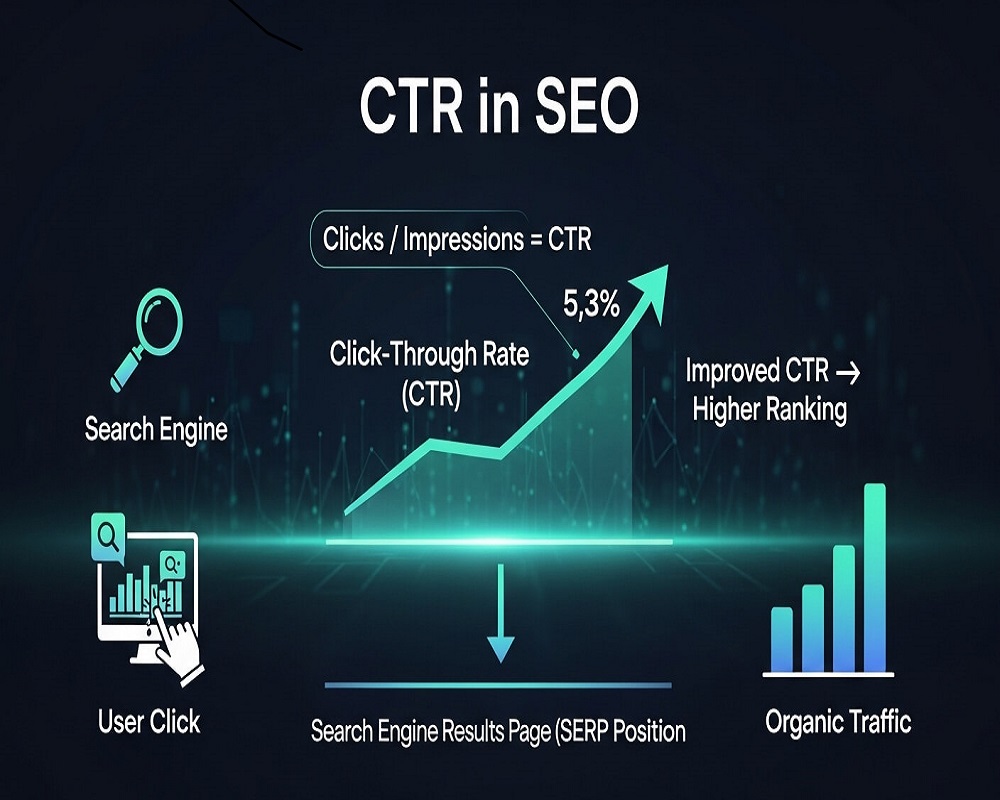
CTR, or click-through rate, is the percentage of people who see your search result and click it, calculated as clicks divided by impressions. Improve it with clear, compelling title tags and meta descriptions, matching search intent, rich results through structured data, readable URLs and tests of different wording, then track changes in Google Search Console.
In a Pew Research Center analysis (2025), Google users clicked a traditional result in 8 per cent of visits when an AI summary appeared, against 15 per cent when there was none. It shows how the results page itself affects CTR.
In the intricate ecosystem of search engine optimization (SEO) as of September 2025, where AI-driven features like Google AI Overviews reshape user interactions and algorithms prioritize genuine engagement, click-through rate (CTR) emerges as a vital pulse-check for content performance. Consider a searcher querying “best budget laptops for students”—your page ranks in position 3, but a bland title and generic meta description result in just 5% of impressions converting to clicks, while competitors with compelling, intent-aligned snippets capture 15%. This disparity isn’t mere chance; it’s the power of CTR at play, bridging visibility with action.
CTR in SEO measures the percentage of users who click on your search result after seeing it, calculated as (clicks ÷ impressions) × 100. It’s not a direct ranking factor, but its signals—rooted in user behavior—influence how Google assesses relevance and quality. With the 2025 Core Update amplifying E-E-A-T (Experience, Expertise, Authoritativeness, Trustworthiness) and user satisfaction, low CTR can signal mismatched intent, eroding topical authority. Recent benchmarks show top organic positions commanding 39.8% CTR, yet site-wide averages hover at 1.5-2%, underscoring optimization’s urgency.
This comprehensive guide, drawing from the latest 2025 data and practitioner insights, demystifies CTR’s role in SEO. We’ll explore its definition, measurement, benchmarks, and profound impacts, then dive into actionable strategies—from meta refinements to schema mastery—that can lift CTR by 20-50%. Semantically, we’ll connect CTR to entities like “SERP features,” “user intent mapping,” and “engagement signals,” building a topical cluster for holistic understanding. For content creators, e-commerce managers, or agency leads, these tactics will transform impressions into traffic, fostering sustainable growth amid AI’s rise. By article’s end, you’ll wield CTR as a strategic lever, not just a metric.
Defining CTR in SEO: The Fundamentals and Nuances
Click-through rate (CTR) quantifies engagement at the SERP level: the ratio of clicks to impressions for a specific URL in organic search results. An impression counts whenever your page appears in results for a query; a click occurs when a user selects it. For instance, 500 impressions yielding 50 clicks equals a 10% CTR.
In SEO’s semantic landscape, CTR transcends arithmetic—it’s a proxy for content resonance. Google doesn’t publicly confirm CTR as a ranking signal, but leaked documents and expert analyses suggest it informs user satisfaction models, tying into RankBrain’s behavioral inferences. Entities like “query intent” and “relevance scoring” amplify this: A high CTR for “vegan keto recipes” signals alignment with informational needs, bolstering authority on subtopics like “low-carb meal prep.”
Distinguish organic CTR from paid: Organic relies on natural rankings, influenced by on-page signals; paid (PPC) hinges on ad copy and bids. In 2025, with 50%+ of searches zero-click due to AI summaries, organic CTR demands precision—focusing on “survival” clicks beyond snippets.
Variations abound:
- Page-Level CTR: Per-URL performance, ideal for audits.
- Device-Specific: Mobile CTRs average 1.2%, desktops 2.1%, per 2025 data.
- Query-Type CTR: Transactional queries (e.g., “buy iPhone 16”) hit 15-20%; informational (e.g., “what is quantum computing”) linger at 5-10%.
Semantically, CTR interlinks with “dwell time” and “pogo-sticking”—low CTR often precedes quick exits, fracturing topical clusters. Understanding these layers equips you to optimize holistically, ensuring content entities like “SEO metrics” cohere across your site.
Why CTR Matters in SEO: From Engagement Signals to Business Outcomes
CTR’s SEO significance lies in its indirect yet potent influence on algorithmic trust. High CTRs indicate content fulfills intent, feeding Google’s machine learning to elevate rankings. A 2025 Semrush study correlates 0.65 between CTR and position stability, behind only backlinks but ahead of content freshness.
Semantically, it reinforces entity salience: Consistent high-CTR pages on “email marketing tools” build authority for clusters like “lead generation strategies,” aiding featured snippet wins. In e-commerce, CTR drives revenue—Shopify reports 12% conversion uplifts from 10% CTR gains.
Broader impacts include:
- Traffic Amplification: Position 1’s 39.8% CTR dwarfs position 10’s 1.6%, per First Page Sage’s 2025 analysis.
- Budget Efficiency: Optimized CTR reduces reliance on paid channels, where averages dip to 1.5% amid ad fatigue.
- User-Centric Metrics: Ties to Core Web Vitals; engaging snippets lower bounces, signaling quality.
In 2025’s AI era, AI Overviews siphon 25-30% of clicks, per Amsive research, making CTR a survival metric. Yet, opportunities arise: Pages cited in overviews see 15% CTR boosts. Ultimately, CTR humanizes SEO—it’s your content’s invitation to conversation, aligning with Google’s “people-first” ethos.
| CTR Impact Dimension | 2025 Statistic | Semantic Connection |
|---|---|---|
| Ranking Correlation | 0.65 with Stability | Intent Matching Entities |
| Traffic Multiplier | Pos 1: 39.8% vs. Pos 10: 1.6% | Topical Authority Build |
| Conversion Link | +12% from 10% CTR Gain | User Journey Clusters |
| AI Overview Effect | -25% Overall Clicks | Snippet Optimization |
Prioritizing CTR fosters resilient, entity-rich sites that thrive amid volatility.
Measuring CTR: Tools, Techniques, and Best Practices
Accurate CTR tracking is foundational. Google Search Console (GSC) reigns supreme: Access Performance reports for clicks, impressions, CTR, and average position, segmented by query, device, or date. Filter 90+ days for trends; export to Sheets for analysis.
Advanced tools enhance depth:
- Semrush Position Tracking: Real-time CTR alongside rankings, flagging “striking distance” keywords (positions 11-30) for quick wins.
- Ahrefs Site Explorer: Compares your CTR to competitors, revealing gaps in meta performance.
- Google Analytics 4 (GA4): Integrates GSC data for downstream metrics like session duration post-click.
Best practices:
- Segment Granularly: Break by device—mobile’s brevity favors concise titles.
- Benchmark Internally: Site average ~1.5%; target 2x for high-potential pages.
- Monitor Volatility: Post-update dips (e.g., March 2025) signal rewrite risks.
Semantically, tie measurements to topical maps: Track CTR for entity clusters (e.g., “CTR optimization tactics”) to gauge authority propagation. Automate alerts via BigQuery for proactive tweaks.
| Tool | Core Feature | Best For | Integration Tip |
|---|---|---|---|
| GSC | Clicks/Impressions Data | Baseline Tracking | Export to GA4 |
| Semrush | Competitor CTR Comparison | Gap Analysis | Keyword Clusters |
| Ahrefs | SERP Simulations | Meta Testing | Entity Mapping |
| GA4 | Post-Click Behavior | ROI Correlation | UTM Tagging |
Rigorous measurement turns CTR from reactive metric to strategic driver.
2025 CTR Benchmarks: What Counts as “Good” and Industry Variations
Benchmarks contextualize performance. In 2025, organic CTRs show modest upticks in top positions, reflecting user trust amid AI scrutiny.
Overall:
- Site-Wide Average: 1.5-2.0%, per Reddit SEO discussions and Semrush aggregates.
- Top Position: 39.8% (up from 39.6% in 2024).
- Position 2: 18.7% (up from 18.4%).
- Position 3: 10.2%.
- Positions 6-10: +30.63% YoY, averaging 2.8%, as lower ranks gain from AI links.
Industry variances:
- E-commerce: 2.5% average; transactional queries spike to 15%.
- B2B SaaS: 1.2%; informational intent drags.
- Local Services: 3.1%, boosted by map packs.
Device splits: Desktop 2.1%, mobile 1.2%. SERP features deflate: Featured snippets cut CTR 20%, AI Overviews 25-89% for publishers.
“Good” CTR? Exceed your average by 20% for underperformers; aim 5-10% site-wide. Trends: AI integration rivals positions 3-5 CTRs, per First Page Sage.
These benchmarks, layered with semantic intent (e.g., “high-CTR queries” for “best tools”), guide targeted optimizations.
Does CTR Influence SEO Rankings? The Direct vs. Indirect Debate
Google’s coy: John Mueller states CTR isn’t direct, yet 2025 antitrust leaks imply 15-20% weighting in engagement models. Correlation? Strong—Backlinko finds 0.68 Spearman link to rankings.
Indirectly, yes: High CTR signals relevance, boosting RankBrain scores and reducing pogo-sticking. Semrush models predict 22-position gains from 10% CTR lifts.
Semantically, CTR consolidates entities: Sustained clicks on “SEO glossary” terms reinforce topical depth. In voice/AI search, where 60% queries are conversational, CTR proxies satisfaction for long-tail clusters.
Caveats: Manipulation risks penalties; focus organic growth. Verdict: Proxy powerhouse, not silver bullet—pair with backlinks for synergy.
Strategies to Improve CTR: A Comprehensive Toolkit
Boosting CTR demands multi-faceted tactics, blending on-SERP allure with backend polish. Here’s a roadmap, semantically tied to intent and entities.
1. Master Meta Titles and Descriptions: The SERP Hook
Titles (50-60 chars) front-load keywords, inject power words (“Ultimate,” “Proven”—+20% CTR). Descriptions (150-160 chars) tease value, end with CTAs (“Discover Now”).
Example: Query “what is CTR in SEO” → Title: “What Is CTR in SEO? 2025 Guide to Boosting Click-Through Rates | Expert Insights”
A/B test via GSC; Search Engine Land reports 15% lifts from emotional triggers (urgency, trust).
2. Harness Schema Markup for Rich Snippets
Structured data triggers stars, prices, FAQs—expanding real estate, +30% CTR per Backlinko. Use JSON-LD for reviews, products; validate via Google’s Tool.
Semantic win: Enhances entity recognition, e.g., “RecipeSchema” for cooking clusters.
3. Optimize URLs: Clarity and Conciseness
Short, descriptive URLs (e.g., /improve-ctr-seo-2025) build trust, +10% clicks vs. parameter-heavy ones. Avoid dates if evergreen.
4. Target Striking Distance and Intent-Aligned Keywords
Focus positions 11-20; Semrush identifies low-competition long-tails. Match intent: Questions for informational (“How to…?”).
5. Combat SERP Features and AI Overviews
Structure for snippets; become AI sources via authoritative backlinks. Amsive notes 15% CTR recovery from overview citations.
6. Leverage Emotional and Psychological Triggers
FOMO (“Limited Time Guide”), social proof (“Trusted by 1K+ SEOs”)—test B2B empathy vs. B2C competitiveness.
| Strategy | Tactic Example | Projected CTR Lift | Semantic Entity Tie |
|---|---|---|---|
| Meta Optimization | Power Words + CTA | +15% | Query Intent Matching |
| Schema Markup | Star Ratings | +30% | Rich Snippet Entities |
| URL Refinement | /seo-ctr-guide | +10% | Topical Path Clarity |
| Keyword Targeting | Long-Tails | +20% | Cluster Expansion |
| AI Adaptation | Snippet Structuring | +15% | Overview Authority |
Implement iteratively; expect 20-50% gains in 3-6 months.
Case Studies: Real-World CTR Transformations in 2025
Empirical evidence validates. A e-commerce site, per Opensend, optimized metas and schema, lifting CTR 48% in hours via AI titles—ROAS +32%.
Prosperitiv’s publisher client countered AI drops (89% CTR loss) with trust signals, recovering 40% traffic.
Sitebulb’s B2B overhaul aligned content to journeys, +25% CTR for “ecommerce SEO.”
X case: @elysiandigitals reported clicks 324→1.4K, impressions 21K→127K, despite CTR dip—meta tweaks next.
These showcase: Targeted, semantic strategies yield compounding returns.
Busting CTR Myths: Clearing the Fog
Myth 1: CTR is a direct ranking factor. Reality: Indirect via engagement; manipulation backfires.
Myth 2: Higher always better. Nuance: 100% CTR impossible; focus relative gains.
Myth 3: AI kills CTR forever. Counter: Adaptation via snippets boosts survivors.
Myth 4: Only titles matter. Holistic: URLs, schema interweave.
Dispel these for evidence-based optimization.
Frequently Asked Questions About CTR in SEO
What Is CTR in SEO?
CTR measures clicks divided by impressions from SERPs, indicating engagement.
What Is a Good CTR for SEO in 2025?
1.5-2% site-wide; 39.8% for position 1.
How Does CTR Affect SEO Rankings?
Indirectly—high CTR signals relevance, aiding RankBrain.
What Is the Average Organic CTR?
~1.5-2%, varying by industry and device.
How Can I Improve CTR in SEO?
Optimize metas, add schema, target intent-aligned keywords.
Is CTR a Google Ranking Factor?
Not direct, but influences via user signals.
What Is a Good CTR for Google Ads?
1-2% average; 5%+ excellent for top positions.
How Do You Calculate CTR?
( Clicks / Impressions ) × 100.
Why Is My CTR Low?
Poor metas, SERP competition, or intent mismatch.
Does CTR Manipulation Work in 2025?
Risky—penalties outweigh short gains; focus organic.
How Does Mobile Affect CTR?
Lower (1.2%) due to truncation; prioritize brevity.
Can Schema Markup Boost CTR?
Yes, +30% via rich snippets.
What Role Do Meta Descriptions Play in CTR?
Compel clicks with value propositions; +15% potential.
Is High CTR Always Positive for SEO?
Yes, if from qualified traffic; avoid baiting.
How Does AI Overviews Impact CTR?
-25-89% drops; optimize for citations.
What Tools Track CTR?
GSC, Semrush, Ahrefs.
Does URL Length Affect CTR?
Yes—short, clean URLs +10%.
How Often Should I Optimize for CTR?
Quarterly, or post-updates.
What Are CTR Benchmarks by Industry?
E-commerce: 2.5%; B2B: 1.2%.
Can Emotional Triggers Improve CTR?
Yes, +15-20% via FOMO, trust.
Conclusion
CTR in SEO, as of 2025, is the linchpin of user-algorithm harmony—a metric that quantifies not just clicks, but connection. From grasping its semantic ties to deploying schema and meta mastery, these strategies empower you to elevate impressions into impact. In Google’s evolving arena, where AI tests resilience, proactive CTR optimization builds enduring authority. Audit your GSC today; the traffic surge awaits.