What Is Alt Text in SEO and How to Write It Correctly
Alt text, or alternative text, is a critical component of search engine optimization (SEO) that enhances website accessibility, user experience, and search engine rankings. The question “What is alt text in SEO?” is common among website owners and digital marketers aiming to optimize their sites for both users and search engines in 2025. This comprehensive guide explores the role of alt text in SEO, its benefits, and a step-by-step approach to writing effective alt text. Drawing from authoritative sources like Google’s SEO guidelines, Moz, and Search Engine Journal, this article answers high-volume questions to help you master alt text optimization for improved rankings and inclusivity.
What Is Alt Text in SEO?
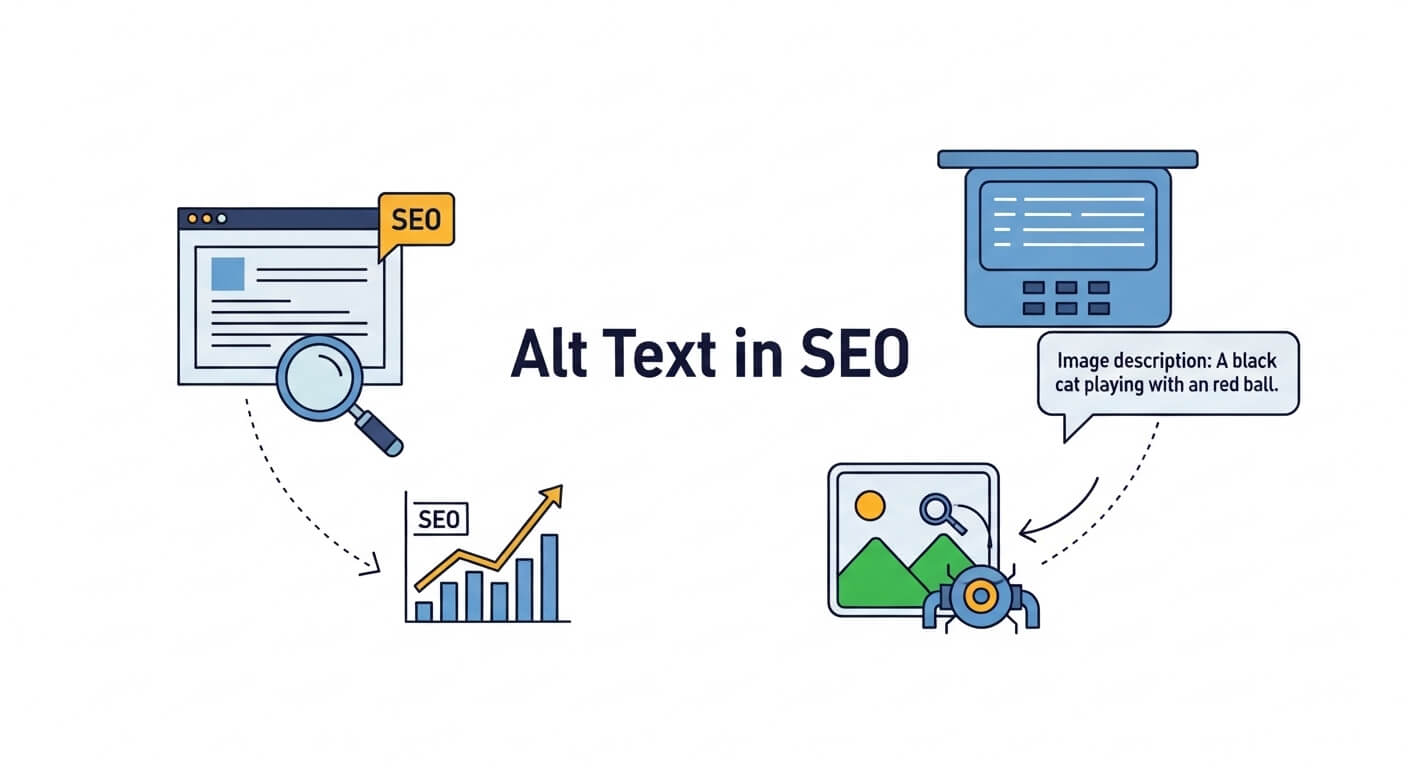
Alt text, also known as alt attributes or alt descriptions, is a short piece of text added to an HTML image tag (<img>) that describes the image’s content and purpose. It serves multiple functions, including improving accessibility for visually impaired users, providing context to search engines, and displaying text if an image fails to load.
How Alt Text Works in SEO
In SEO, alt text helps search engines like Google understand what an image depicts, enabling it to index the image for relevant search queries, such as Google Image Search. It also contributes to a webpage’s overall relevance for specific keywords, boosting its chances of ranking higher in search results.
Example of Alt Text in HTML:
<img src="dog-playing-fetch.jpg" alt="Golden retriever playing fetch in a park">
Key Functions of Alt Text
- Accessibility: Screen readers use alt text to describe images to visually impaired users, ensuring compliance with accessibility standards like WCAG (Web Content Accessibility Guidelines).
- SEO: Provides context for search engines, improving image and page rankings.
- User Experience: Displays text if images don’t load due to slow connections or errors.
- Contextual Relevance: Enhances content understanding, aligning with user search intent.
Common Question: Why Is Alt Text Important for SEO in 2025?
Alt text boosts SEO by helping search engines index images, improving rankings in Google Image Search, and enhancing page relevance for keywords. It also supports accessibility, a growing ranking factor, with Google prioritizing inclusive websites in 2025.
Why Alt Text Matters for SEO and Accessibility
Alt text serves as a bridge between technical SEO, user experience, and inclusivity. Here’s why it’s essential:
1. Improves Image Search Rankings
Google processes over 1 billion image searches daily (Statista, 2024). Optimized alt text ensures images appear in relevant image search results, driving traffic to your site. For example, an e-commerce site selling running shoes can rank for “men’s running shoes” in image searches with descriptive alt text like “men’s black Nike running shoes.”
2. Enhances Page Relevance
Alt text signals to search engines how images relate to the page’s content, reinforcing topical authority. A 2024 Moz study found that pages with optimized alt text saw a 15–20% increase in organic traffic for image-related queries.
3. Boosts Accessibility
Alt text makes websites accessible to the 2.2 billion people with visual impairments worldwide (WHO, 2024). Screen readers like JAWS or NVDA rely on alt text to describe images, ensuring inclusivity. Google’s 2021 Core Web Vitals update emphasized accessibility as a ranking factor, making alt text critical.
4. Improves User Experience
If images fail to load, alt text provides context, preventing confusion. It also enhances mobile browsing, where images may load slowly due to connectivity issues.
5. Supports Voice Search and AI
With 30% of searches being voice-based in 2025 (Search Engine Journal), alt text helps AI assistants like Google Assistant interpret images, aligning with conversational queries like “show me pictures of yoga poses.”
Common Question: Does Alt Text Directly Impact SEO Rankings?
Alt text indirectly boosts rankings by improving image indexing, page relevance, and accessibility, which are Google ranking factors. Optimized alt text can increase organic traffic by 15–20% for image-heavy pages, per Moz.
How to Write Effective Alt Text for SEO: Step-by-Step Guide
Crafting alt text that balances SEO, accessibility, and user intent requires strategy. Follow these steps to write effective alt text in 2025:
Step 1: Describe the Image Accurately
- Focus on Content: Describe what the image shows, including key details (e.g., objects, people, actions, setting).
- Be Specific: Avoid vague phrases like “image of a product.” Instead, use “red leather handbag on a white background.”
- Keep It Concise: Aim for 10–15 words (125 characters max) to ensure screen readers don’t cut off the description.
Example:
<img src="sunset-beach.jpg" alt="Sunset over a sandy beach with palm trees">
Step 2: Include Relevant Keywords
- Use Primary Keywords: Incorporate the page’s target keyword naturally if it fits the image context (e.g., “SEO guide infographic” for a page about SEO).
- Avoid Keyword Stuffing: Don’t overload alt text with keywords, as this can lead to penalties. Google’s 2024 algorithm updates penalize unnatural keyword use.
- Match User Intent: Align keywords with what users search for (e.g., “vegan chocolate cake recipe” for a recipe page).
Example:
<img src="vegan-cake.jpg" alt="Vegan chocolate cake on a wooden table">
Common Question: Should I Include Keywords in Every Alt Text?
Include keywords only when they naturally describe the image and align with the page’s content. Overusing keywords can harm SEO and accessibility.
Step 3: Prioritize Accessibility
- Write for Screen Readers: Use clear, descriptive language that conveys the image’s purpose (e.g., “Graph showing 2025 SEO trends” instead of “Graph”).
- Avoid Redundancy: Don’t start with “image of” or “picture of,” as screen readers already identify it as an image.
- Context Matters: Describe the image’s role on the page (e.g., “Logo of YourBrand on homepage” for branding images).
Example:
<img src="logo.png" alt="YourBrand logo with blue text on white background">
Step 4: Handle Decorative Images
- Use Empty Alt Text: For purely decorative images (e.g., background patterns), use
alt=""to signal screen readers to skip them. - Avoid Overloading: Don’t describe decorative images, as it adds unnecessary noise for visually impaired users.
Example:
<img src="border-pattern.jpg" alt="">
Common Question: When Should I Use Empty Alt Text?
Use alt="" for decorative images like icons, spacers, or backgrounds that don’t convey meaningful content, ensuring screen readers skip them for better accessibility.
Step 5: Optimize for Image Search
- Be Descriptive: Use specific terms to rank in Google Image Search (e.g., “black Labrador puppy in a park” instead of “dog”).
- Include Context: Mention the setting or purpose if relevant (e.g., “iPhone 16 on display at tech store”).
- Use File Names: Name image files descriptively (e.g.,
iPhone-16-display.jpginstead ofimg123.jpg) to complement alt text.
Example:
<img src="iPhone-16-display.jpg" alt="iPhone 16 on display at tech store">
Step 6: Test and Validate Alt Text
- Use Tools:
- Screaming Frog: Crawls sites to identify missing or overly long alt text.
- Wave Accessibility Tool: Checks alt text for WCAG compliance.
- Google Lighthouse: Evaluates accessibility and SEO performance.
- Screen Reader Testing: Use NVDA or VoiceOver to ensure alt text is clear and useful.
- Monitor Image Rankings: Track image search performance in Google Search Console.
Common Question: How Can I Test If My Alt Text Is SEO-Friendly?
Use Screaming Frog to find missing or lengthy alt text, Wave for accessibility compliance, and Google Search Console to monitor image search rankings.
Best Practices for Writing Alt Text in 2025
- Be Concise: Keep alt text under 125 characters (10–15 words) for screen reader compatibility.
- Be Descriptive: Include key details like colors, objects, or actions (e.g., “Woman practicing yoga on a beach at sunrise”).
- Avoid Keyword Stuffing: Use keywords naturally, avoiding repetitive or irrelevant terms.
- Match Page Content: Ensure alt text aligns with the page’s topic and user intent.
- Use Proper Punctuation: Write full sentences with periods for clarity (e.g., “Blue vintage car parked on street.”).
- Update Regularly: Revisit alt text when updating images or content to maintain relevance.
- Consider Multilingual Sites: For global audiences, use
langattributes or localized alt text for accessibility.
Example for Multilingual Site:
<img src="paris-cafe.jpg" alt="Outdoor Paris cafe with croissants on table" lang="en">
Common Question: How Long Should Alt Text Be for SEO and Accessibility?
Alt text should be 10–15 words (up to 125 characters) to balance SEO, accessibility, and screen reader compatibility without being cut off.
Common Mistakes to Avoid with Alt Text
- Missing Alt Text: Omitting alt text reduces accessibility and SEO opportunities. Every image needs an alt attribute, even if empty (
alt=""). - Keyword Stuffing: Overloading alt text with keywords (e.g., “SEO SEO SEO guide infographic”) harms rankings and accessibility.
- Vague Descriptions: Generic terms like “image” or “photo” don’t provide context (e.g., use “Red rose in vase” instead of “Flower”).
- Overly Long Alt Text: Exceeding 125 characters can overwhelm screen readers and dilute SEO impact.
- Ignoring Decorative Images: Failing to use
alt=""for decorative images adds clutter for screen reader users. - Mismatched Content: Alt text unrelated to the page’s topic confuses search engines and users.
Common Question: What Are the Biggest Alt Text Mistakes That Hurt SEO?
Missing alt text, keyword stuffing, vague descriptions, and ignoring decorative images reduce accessibility and rankings. Use tools like Wave to catch these errors.
Benefits of Optimized Alt Text
- Higher Rankings: Improves image and page rankings for relevant queries, driving 15–20% more traffic (Moz, 2024).
- Increased Traffic: Optimized alt text boosts visibility in Google Image Search, a major traffic source.
- Better Accessibility: Ensures compliance with WCAG, reaching 2.2 billion visually impaired users.
- Enhanced User Experience: Provides context for slow-loading or broken images.
- Voice Search Optimization: Supports conversational queries, critical for 30% of searches in 2025.
- Social Media Sharing: Improves image context when shared on platforms like Pinterest or Instagram.
Common Question: How Does Alt Text Improve Website Traffic?
Optimized alt text boosts image search rankings, driving 15–20% more organic traffic, and enhances accessibility, attracting a broader audience, per Moz studies.
Advanced Alt Text Strategies for 2025
1. Align with E-E-A-T (Experience, Expertise, Authoritativeness, Trustworthiness)
- Show Expertise: Use precise, industry-specific terms in alt text (e.g., “Graph of 2025 SEO trends by expert analyst”).
- Build Trust: Pair alt text with authoritative content and HTTPS for credibility.
- Highlight Experience: Describe real-world contexts (e.g., “Photo from our 2025 SEO conference in New York”).
2. Optimize for Voice Search
- Use natural, question-based phrases (e.g., “What is alt text in SEO infographic”).
- Target long-tail keywords, as voice searches dominate 30% of queries (Search Engine Journal, 2025).
3. Leverage Schema Markup
- Combine alt text with image schema (e.g.,
ImageObject) to enhance rich snippets. - Example:
<script type="application/ld+json">
{
  "@context": "https://schema.org",
  "@type": "ImageObject",
  "contentUrl": "https://yourwebsite.com/dog-playing-fetch.jpg",
  "description": "Golden retriever playing fetch in a park"
}
</script>
4. Optimize for Google Lens
- Google Lens, used by 12 billion monthly searches in 2025, relies on alt text for visual search. Use descriptive, object-focused alt text (e.g., “Blue running shoes on athlete”).
5. Local SEO Alt Text
- For local businesses, include location keywords (e.g., “Chicago bakery storefront with fresh bread display”).
- Use
hreflangfor multilingual image descriptions.
Common Question: How Can Alt Text Help with Voice Search and Google Lens?
Alt text with conversational, descriptive phrases (e.g., “What is alt text in SEO guide”) supports voice search and Google Lens by providing context for AI-driven queries, boosting visibility.
Tools for Optimizing Alt Text
- Screaming Frog: Crawls sites to identify missing or non-optimized alt text.
- Wave Accessibility Tool: Checks alt text for WCAG compliance.
- Google Lighthouse: Evaluates accessibility and SEO performance.
- Yoast SEO/Rank Math: Suggests alt text improvements for WordPress sites.
- Google Search Console: Tracks image search performance and indexing issues.
- Ahrefs/SEMRush: Analyzes competitor alt text strategies.
- Image SEO Optimizer: Generates keyword-rich alt text automatically.
Common Question: What Tools Can Help Optimize Alt Text for SEO?
Screaming Frog, Wave, Google Lighthouse, and Yoast SEO identify alt text issues, while Google Search Console tracks image search performance to refine optimization.
How Alt Text Fits into Broader SEO Strategy
Alt text is one part of a holistic SEO approach, complementing:
- On-Page SEO: High-quality content, keyword optimization, and internal linking.
- Technical SEO: Fast load times, mobile optimization, and structured data.
- Off-Page SEO: Backlinks and social shares amplify image visibility.
- User Experience: Low bounce rates and high engagement signal content relevance.
Common Question: Can Alt Text Alone Improve My SEO Rankings?
Alt text alone won’t skyrocket rankings but enhances image search visibility, accessibility, and page relevance, contributing to a 15–20% traffic boost when paired with strong content and technical SEO.
FAQs About Alt Text in SEO
How Many Keywords Should I Include in Alt Text?
Include 1–2 relevant keywords naturally, ensuring they describe the image accurately. Avoid stuffing to maintain accessibility and avoid penalties.
Can I Use the Same Alt Text for Multiple Images?
No, each image needs unique alt text to reflect its specific content and avoid duplicate content issues, which can harm SEO.
How Often Should I Update Alt Text?
Update alt text when replacing images, targeting new keywords, or refreshing content (every 6–12 months). Monitor performance with Google Search Console.
Does Alt Text Help with Local SEO?
Yes, including location-based keywords in alt text (e.g., “Miami coffee shop interior”) boosts local search visibility and attracts regional traffic.
Can Alt Text Improve Social Media Engagement?
Yes, descriptive alt text enhances image context on platforms like Pinterest, driving shares and traffic, which indirectly supports SEO.
Conclusion
Understanding what is alt text in SEO is key to unlocking its potential for improving search rankings, accessibility, and user experience in 2025. By writing concise (10–15 words), descriptive, and keyword-rich alt text, you can boost image search visibility, drive 15–20% more traffic, and ensure WCAG compliance for 2.2 billion visually impaired users. Avoid common mistakes like missing alt text or keyword stuffing, and use tools like Screaming Frog, Wave, and Google Search Console to optimize and monitor performance. Pair alt text with schema markup, voice search optimization, and a holistic SEO strategy to maximize results. Stay informed with resources like Moz and Search Engine Journal, and regularly update alt text to align with evolving algorithms and user needs for a competitive edge in 2025.

Saad Raza is an SEO specialist with 7+ years of experience in driving organic growth and improving search rankings. Skilled in data-driven strategies, keyword research, content optimization, and technical SEO, he helps businesses boost online visibility and achieve sustainable results. Passionate about staying ahead of industry trends, Saad delivers measurable success for his clients.