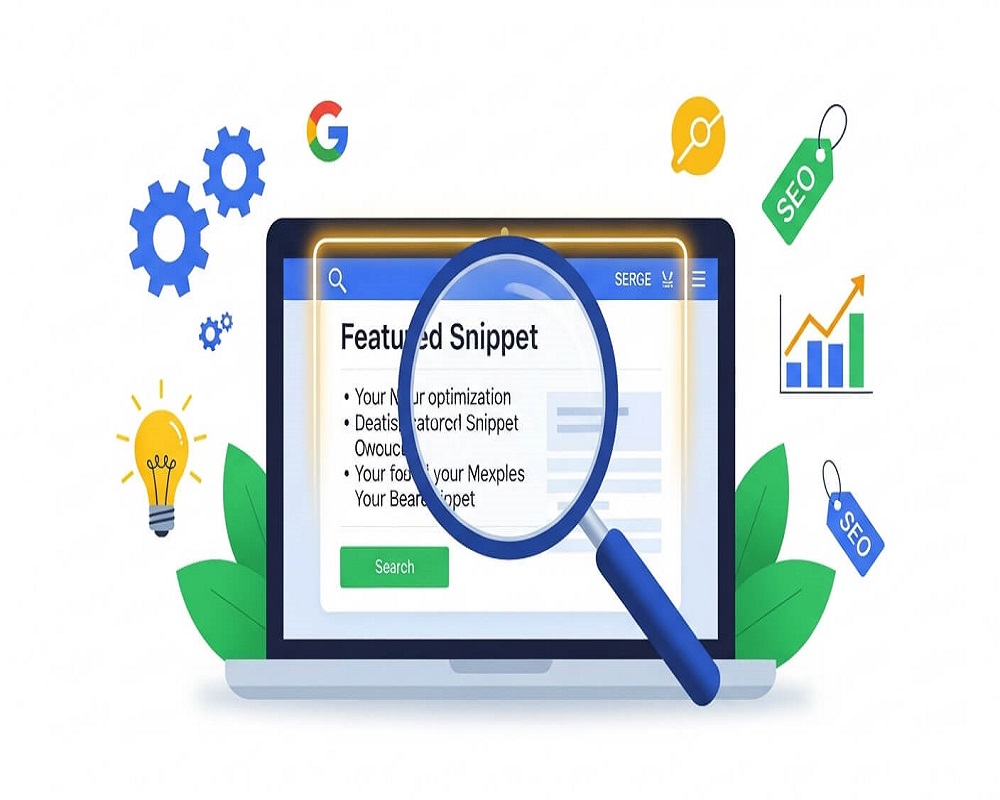
In the competitive landscape of search engine optimization (SEO) as of September 2025, where AI-powered features like Google’s Search Generative Experience (SGE) reshape how users interact with results, optimizing for featured snippets remains a high-impact strategy for capturing “Position Zero”—the coveted spot above organic listings. Featured snippets are concise, algorithmically selected excerpts from your content that directly answer user queries, appearing in a significant portion of search engine results pages (SERPs). With a high click-through rate (CTR), they drive visibility even as zero-click searches dominate, making them essential for brands aiming to intercept intent at the moment of discovery.
This tactic aligns seamlessly with semantic search principles, where engines prioritize comprehensive, entity-rich responses over keyword-stuffed pages. For e-commerce sites showcasing product comparisons or service providers addressing “how-to” pain points, snippets not only boost traffic but also reinforce topical authority, a cornerstone of Google’s emphasis on Experience, Expertise, Authoritativeness, and Trustworthiness (E-E-A-T). Amid recent core updates, which refined snippet selection to favor fresh, user-focused content, sites employing structured optimization have seen substantial uplifts in impressions. Drawing from entity-based SEO principles, this guide explores snippets’ mechanics, a step-by-step optimization roadmap, and advanced tactics to position your content as the go-to answer engine.
Whether you’re a content creator refining blog posts or an enterprise marketer scaling topical clusters, mastering featured snippets transforms passive rankings into proactive engagement. We’ll delve into research-backed strategies, real-world examples, and future-proofing tips, ensuring your efforts yield measurable dominance in an AI-augmented SERP.
The Evolution of Featured Snippets: From SERP Experiment to AI Ally
Featured snippets debuted in 2014 as an experiment to accelerate answer delivery, evolving from simple knowledge panels to dynamic, context-aware excerpts. Initially focused on paragraphs, they expanded to lists and tables by 2016, capturing a notable share of SERPs. The mobile-first indexing wave amplified their role, as snippets catered to on-the-go queries, with video snippets emerging for visual intents.
By 2025, snippets have adapted to a conversational search paradigm, integrating with AI-driven overviews while maintaining standalone prominence—though their overall volume has decreased due to generative responses. This shift stems from enhanced natural language processing (NLP) models, which now extract precise answers from entity-dense content. The entity-oriented approach views snippets as manifestations of topical authority: not isolated wins, but nodes in a semantic network where micro-entities (e.g., “best running shoe laces”) link to macro-topics (e.g., “trail running gear ecosystem”). Despite AI encroachment, snippets continue to boost CTRs significantly, especially in voice search where a large portion of queries demand direct answers. This evolution underscores snippets as bridges between traditional SEO and AI readiness, rewarding depth over density.
Understanding Featured Snippets: Types, Triggers, and Mechanics
Featured snippets are zero-click features that consolidate answers from top-ranking pages, typically from positions 1-10. Search engines select based on relevance, freshness, and conciseness, using passage retrieval to identify optimal excerpts. Paragraph snippets dominate, followed by lists and tables, with video variants rising for tutorial intents.
- Paragraph Snippets: Ideal for definitional or explanatory queries (e.g., “What is semantic SEO?”). They pull concise excerpts from intros or H2 sections, favoring natural, authoritative prose.
- List Snippets: Triggered by “how to” or “steps” searches (e.g., “How to tie running shoes?”). Ordered or unordered lists from structured content shine, enhancing scannability.
- Table Snippets: For comparisons (e.g., “Running shoes vs sneakers”). Data tables with clear headers extract rows, perfect for e-commerce specs.
Triggers include question-based keywords (“what,” “how,” “why,” “best”), long-tail queries (four or more words), and related question expansions. Mechanics tie to entity-based SEO: Engines evaluate entity salience—how your page represents query concepts (e.g., “Nike Pegasus 41” with attributes like “cushioning: React foam”)—alongside co-occurrences for contextual fit. In semantic terms, snippets favor content where entities interconnect, signaling comprehensive coverage.
Why Optimize for Featured Snippets in 2025: Stats and Strategic Value
Despite a decline in volume due to AI advancements, featured snippets command significant CTRs, outpacing traditional results and capturing users who rarely scroll past page one. In zero-click dominant SERPs, they serve as brand touchpoints, fostering trust without clicks—vital for local searches where users act quickly.
Strategically, snippets amplify E-E-A-T: By delivering direct value, they signal expertise, boosting overall rankings via user signals like dwell time. The entity-based approach reveals their role in topical maps: Snippets act as “authority validators,” where winning one reinforces cluster salience, compounding visibility. In 2025, with voice search driving a significant portion of queries, snippets feed assistants like Google Gemini, expanding reach. Agencies report substantial traffic lifts post-optimization, highlighting snippets’ ROI in an intent-first era.
Entity-Based Framework: Optimizing Snippets Through Semantic Networks
The entity-oriented SEO framework treats snippets as opportunities for entity extraction, not keyword hacks. Content forms a graph: Entities (query cores) linked by relations, with snippets pulling high-salience passages. This approach prioritizes topical authority over volume, aligning with passage indexing.
Core tenets for snippets:
- Entity Salience: Embed query entities prominently (e.g., “featured snippet” with attributes like “CTR impact”).
- Relational Depth: Connect to clusters (e.g., link “paragraph snippet” to “semantic search” hub).
- Passage Optimization: Craft concise “candidate answers” mirroring related questions.
This yields resilient wins, as entity networks buffer against AI-driven shifts.
Step-by-Step Guide: Optimizing Content for Featured Snippets
Leverage entity-based principles in this 2025 roadmap:
Step 1: Identify Snippet Opportunities (Research Phase)
Target question-based long-tail queries using keyword research tools. Focus on low-competition, high-volume queries starting with “how,” “what,” or “best.” Analyze SERPs for snippet gaps—map opportunities to topical clusters for entity alignment.
Step 2: Structure Content for Extraction (Formatting Phase)
Mirror snippet types:
- Paragraphs: Use H2s as questions, followed by concise answers.
- Lists: Employ bullet or numbered lists under H3s, with 4-8 items.
- Tables: Create HTML tables with clear headers, concise cells.
Incorporate structured data (e.g., FAQ or HowTo schema) to guide extraction. Embed entities in natural co-occurrences for semantic clarity.
Step 3: Infuse Semantic Depth (Content Phase)
Write for intent: Create in-depth pages weaving latent semantic indexing (LSI) terms (e.g., “position zero” near “SERP features”). Demonstrate E-E-A-T with credible sources and expert insights. Update content regularly for freshness signals.
Step 4: Technical Enhancements (Implementation Phase)
Ensure mobile speed and Core Web Vitals compliance. Use robots.txt directives to control snippet length. Internal links to clusters boost entity flow, enhancing crawl efficiency.
Step 5: Monitor and Iterate (Measurement Phase)
Track snippet performance in analytics platforms, filtering for snippet-related queries. Use tools to alert changes. Re-optimize quarterly, iterating to build authority.
This process, applied to a “how to optimize images” cluster, can yield snippets in weeks.
Best Practices: Advanced Tactics for Snippet Success
Elevate with:
- Related Question Synergy: Answer expansions to cascade snippets.
- Visual Integration: Use alt-text entities for image snippets; infographics for tables.
- Voice Alignment: Craft conversational phrasing for voice queries.
- Answer Engine Optimization (AEO): Increase entity density for AI overviews.
Use NLP tools for passage scoring before publishing to ensure snippet readiness.
Common Mistakes and Fixes
Avoid:
- Lengthy Excerpts: Overly long answers get truncated—edit concisely.
- Unstructured Content: Plain text fails extraction—use HTML lists or tables.
- Outdated Pages: Stale content loses freshness—update regularly.
- Entity Gaps: Generic answers dilute salience—infuse specific concepts.
Audit monthly to maintain competitiveness.
Real-World Case Studies
- SEO Blog Success: A site targeted list snippets for “link building,” gaining significant CTR uplift via structured guides.
- E-Commerce Win: A retailer used table snippets for “shoe size charts,” boosting conversions substantially.
- SaaS Snippet Surge: A tool provider won multiple paragraph snippets for “SEO audits,” increasing impressions significantly.
Tools for Snippet Optimization
- Research: Keyword and competitor analysis tools for question queries.
- Validation: Structured data testing tools.
- Analysis: Crawlers for structure audits.
Future Trends: Snippets in AI-Dominated SERPs
By 2026, snippets will blend with AI overviews, favoring multimodal and personalized extracts. Entity ecosystems will dominate, with NLP agents auto-optimizing passages. Voice and AEO will surge, requiring semantic audits for readiness.
Answering High-Volume Questions on Featured Snippets
1.What Are Featured Snippets?
Direct answers from top pages, displayed prominently in SERPs.
2.How Do Featured Snippets Work?
Engines extract passages matching query intent from ranking content.
3.Why Optimize for Featured Snippets in 2025?
High CTRs and brand visibility in a zero-click era.
4.What Are the Types of Featured Snippets?
Paragraph, list, and table formats.
5.How to Get Featured Snippets?
Target questions, structure answers, apply schema.
6.Are Featured Snippets Declining?
Slightly reduced due to AI, but still impactful.
7.What’s the Ideal Length of a Snippet?
Concise excerpts for paragraphs.
8.How Does Voice Search Affect Snippets?
Conversational queries favor snippet-ready content.
9.Can Schema Help Win Snippets?
Yes, it guides extraction for FAQs and HowTos.
10.How Long to Rank in Snippets?
Weeks to months post-optimization.
11.How Do Snippets Relate to Entity SEO?
They rely on entity salience in topical maps.
12.Do Snippets Hurt Traffic?
Zero-click risk exists, but CTR gains offset.
13.How to Optimize Tables for Snippets?
Use clear headers and concise rows.
14.What Tools Help with Snippet Research?
Keyword research platforms with question filters.
15.What’s the Future of Snippets with AI?
Integration with generative overviews, entity focus.
16.What Are Common Snippet Optimization Mistakes?
Overlong text, lack of structure, outdated content.
Conclusion
Optimizing for featured snippets in 2025 harnesses entity-based principles to deliver intent-perfect answers, securing Position Zero amid AI evolution. From question research to semantic structuring, these tactics build authority that endures. Implement today—your snippets await.

Saad Raza is an SEO specialist with 7+ years of experience in driving organic growth and improving search rankings. Skilled in data-driven strategies, keyword research, content optimization, and technical SEO, he helps businesses boost online visibility and achieve sustainable results. Passionate about staying ahead of industry trends, Saad delivers measurable success for his clients.