
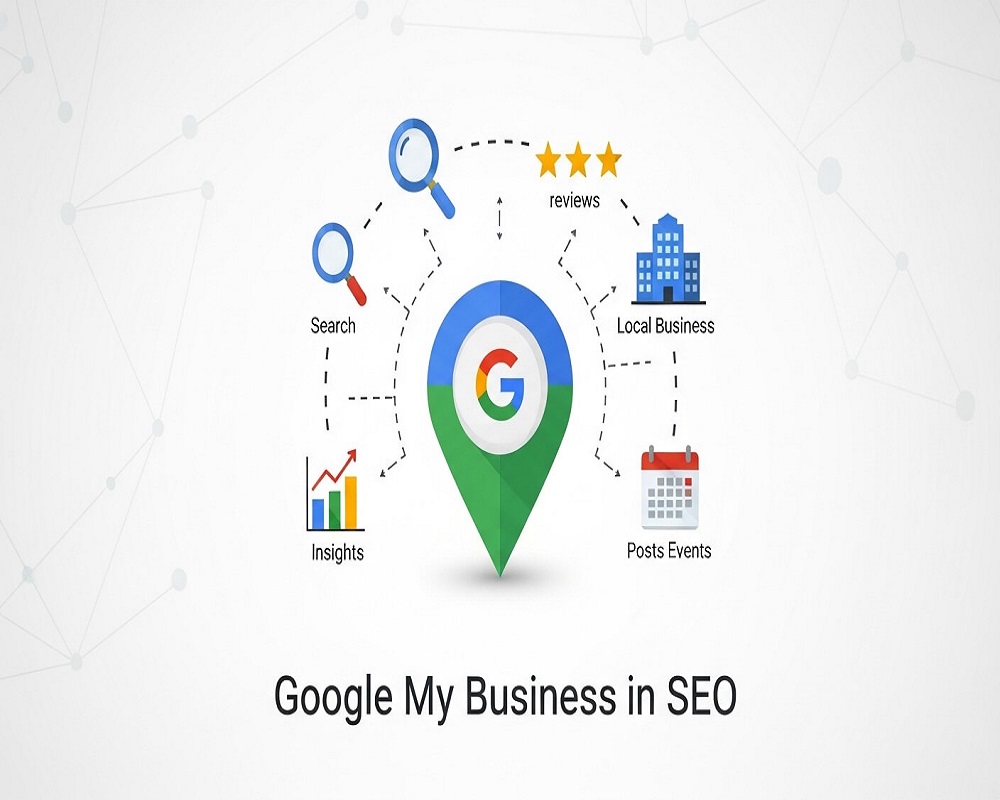
Short answer: Google My Business is the old name for Google Business Profile, the free listing that shows your business name, location, hours, photos and reviews in Google Search and Maps. It helps SEO because it is what appears in the local map pack, it is a direct source of calls, directions and website visits, and its categories, reviews and details are the main things Google uses to decide which local businesses to show.
This guide is for owners of local businesses, and the marketers who help them, who keep hearing “set up your Google My Business” and want to know what it is, whether they qualify, and how much it actually affects search visibility. You will learn what the profile is today, how it influences local rankings, which features matter, how to check whether your business type is eligible, and the mistakes that get profiles suspended. For a step-by-step beginner setup, pair it with my local SEO guide for beginners.
What is Google My Business (now Google Business Profile)?
Google My Business was the name of Google’s free tool for managing how a business appears in Search and Maps. Google renamed the listing Google Business Profile in late 2021 and moved most management into Search and Maps themselves, so you can now edit your profile by searching for your business name while logged in, or at business.google.com. People still search for “Google My Business” and “GMB”, and both terms mean the same thing.
The profile is the box that appears on the right of desktop results, or at the top on mobile, when someone searches for your business by name, and the listing in the map pack when someone searches for what you do near them. It holds:
- Business name, primary and secondary categories, address or service area, phone number and website.
- Opening hours, including special hours for public holidays.
- Services or products, a business description and attributes (such as wheelchair access or women-led).
- Photos and videos from you and from customers.
- Reviews and your replies.
- Posts for offers, events and updates, plus booking and messaging options in some regions.
It is free, and Google says there is no way to request or pay for a better local ranking (Google Business Profile Help). Local Services Ads and Maps ads are separate paid products and are labelled as sponsored. Other platforms matter too, such as Apple Business Connect and Bing Places.
How Google Business Profile helps SEO
For a local business, the profile often drives more contact than the website. When I review a client’s Business Profile performance view, calls and direction requests from the profile frequently outnumber enquiries from organic website visits, especially for clinics, restaurants and trades. It helps SEO in four ways.
1. It is how you get into the map pack
For searches with local intent (“dentist near me”, “AC repair Gulshan-e-Iqbal”, “bakery in DHA”), Google usually shows a map with three businesses above the normal results. Those listings come from Business Profiles, not websites. Without a verified profile you cannot appear there at all. My guide to ranking in the Google Maps local pack goes deeper into this.
2. Its details are your relevance signals
Google says local results are based mainly on three factors: relevance (how well a profile matches the search), distance (how far the business is from the searcher or the place in the search) and prominence (how well known the business is). Your primary category, services, description and website link are the main relevance inputs you control.
3. Reviews feed prominence and persuade customers
Google states that more reviews and positive ratings can help a business’s local ranking. They also drive the decision: BrightLocal’s 2026 survey of 1,002 US consumers found that 97% read reviews for local businesses and 89% expect owners to respond (BrightLocal). A profile with a handful of old, unanswered reviews loses clicks to the one next to it.
4. It strengthens the website’s local signals
The profile links to your website, and consistent name, address and phone details across your profile, website and directories help Google trust both. A profile and website that tell the same story about what you do and where make it easier to rank in both the map pack and the normal results below it. My guide to NAP consistency explains how to keep them aligned.
| Local ranking factor (Google) | Profile elements that affect it | What you can do |
|---|---|---|
| Relevance | Primary and secondary categories, services, description, attributes, website content | Choose the most specific primary category, list real services, link to a page that matches |
| Distance | Verified address or service area | Use your real address; do not create fake locations to cover more of a city |
| Prominence | Reviews, rating, photos, links and mentions across the web | Ask every customer for a review, reply to all of them, earn local links and press |
Rather have an expert do this for you?
Hand it over and get back to running your business.
Is your business eligible? Check before you create a profile
Google’s guidelines for representing your business are strict about who can have a profile and how. Most suspended profiles I am asked to help with broke one of these rules, often without the owner realising. Use this decision flow to see which setup applies to you.
Which Google Business Profile setup is right for you?
Question 1: Does your business have face-to-face contact with customers, either at your premises or at theirs?
Question 2: Is your only address a virtual office, co-working desk you do not staff, PO box or rented mailbox?
Question 3: Do customers come to your premises during staffed opening hours (a shop, clinic, restaurant, office with signage)?
Question 4: Do you also travel to customers to deliver your service?
Result: not eligible for a Business Profile. Online-only businesses with no in-person contact do not qualify. Focus on your website, relevant directories and organic content instead, and do not register a home or virtual address just to get a listing.
Result: that address is not eligible. Google says virtual offices and remote mailboxes are not acceptable. If you genuinely visit customers, set up as a service-area business using a real address you operate from (it can be hidden). Otherwise, do not create a profile.
Result: service-area business. You visit customers (plumber, tutor, AC technician, cleaner). Verify with your real base address, then hide the address and list the cities or areas you serve. Expect to rank best near your base. My guide to service-area business local SEO covers the details.
Result: hybrid business. Show your address and opening hours, and also add service areas. Example: a car workshop that also offers roadside repairs.
Result: storefront business. Show your address and accurate staffed hours. Create one profile per real location with its own phone number and signage; never create extra profiles for the same location.
Without JavaScript, read it in order: a no on Question 1 means Result 1; a yes on Question 2 means Result 2; a no on Question 3 means Result 3; Question 4 leads to Result 4 (yes) or Result 5 (no).
How to set up and optimise your profile
- Search for your business on Google Maps first. A listing may already exist from customer edits. Claim it rather than creating a duplicate.
- Use your real-world business name. Google does not allow unnecessary information in the name, so no keywords, locations or taglines that are not part of your signage.
- Choose the most specific primary category. It is the strongest relevance field. Add only the secondary categories that are genuinely true; Google asks you to use as few as possible. My guide to choosing Business Profile categories lists how to research them.
- Verify. Google picks the method: phone, text, email, video of your premises or a postcard. Video verification is common now; show your signage, the inside of the premises and proof you manage the business in one continuous recording.
- Complete every relevant field. Hours (including Eid and other public holidays), services, description, attributes, and a website link tagged with UTM parameters so profile visits show separately in analytics. My free UTM link builder creates the tag.
- Add real photos. Exterior (so people can find you), interior, team and work. Phone photos in good light are fine; stock images help nobody.
- Start a review routine. Share a direct review link after every job; my Google review link generator makes one in seconds. Reply to every review in your own words.
- Post when you have something to say. Offers, new services and events. Posts are not a strong ranking lever, but they keep the profile useful.
- Match your website. Same name, address and phone, a page for each main service, and LocalBusiness schema; see schema for local SEO.
For the field-by-field version with examples, see my Google Business Profile optimisation guide.
Worked example: fixing a stuffed profile name without losing visibility
This is an illustrative case, not a real client. A Karachi AC repair business has its profile name set to “Cool Tech AC Repair Service Karachi Best AC Technician Gulshan Johar DHA”. It ranks for a few weeks, then a competitor suggests an edit and Google changes the name back, or the profile is suspended.
The fix: change the name to the real trading name on the van and invoices, “Cool Tech AC Services”. Move the relevance into the right places instead: primary category “Air conditioning repair service”, secondary “Air conditioning contractor”, services listing installation, gas refill and repair, service areas covering the neighbourhoods they actually reach, and a website page for each service. Then ask every customer for a review that naturally mentions the job (“fixed our split AC in Johar the same day”). Rankings built this way do not disappear when a competitor reports you.
Mistakes that hold profiles back or get them suspended
- Keywords in the business name. The most common guideline break I see, and the most common reason for suspensions.
- Duplicate profiles for one location. Often created when someone lost access to the old one. Request access to the existing listing instead.
- Fake locations. Virtual offices or a friend’s shop address to “cover” another area.
- Showing a home address for a service-area business.
- Buying or gating reviews. Google’s policies prohibit incentives and selectively asking only happy customers. My guide to getting more Google reviews covers what is allowed.
- Wrong or stale hours. Customers who arrive to a closed door leave the reviews you least want.
- Never checking the profile. Anyone can suggest edits to your name, hours or category. Check monthly that nothing was changed.
If the worst has happened, my guide to a suspended Google Business Profile explains the reinstatement process.
How to measure what your profile does
Open your profile while logged in and select Performance. It shows how many people viewed the profile and how many called, requested directions, clicked to your website, messaged or booked, along with some of the search terms that showed your profile. Combine this with the UTM-tagged visits in Google Analytics to see what happens after the click. Track these monthly; they are a better measure of local SEO success than a single ranking position, which changes with every searcher’s location.
Frequently asked questions
Is Google My Business the same as Google Business Profile?
Yes. Google renamed Google My Business to Google Business Profile in late 2021. The listing is the same; most editing now happens directly in Google Search and Maps.
Is Google Business Profile free?
Yes. Creating, verifying and managing a profile is free, and Google says you cannot pay for a better local ranking. Ads that appear in Maps are a separate, paid product.
Does Google Business Profile help my website rank?
Directly, it puts you in the map pack and on Maps. Indirectly, it sends visitors to your site and reinforces your business details. Local organic rankings still depend on your website’s content, links and technical health.
Can I have a profile without an office or shop?
Yes, if you meet customers in person at their location. Set up as a service-area business, verify with the real address you work from, hide it, and list your service areas. Virtual offices and mailboxes are not eligible.
How long does it take for a new profile to rank?
A verified, complete profile can start appearing for searches close to your address within weeks. Competitive categories and wider areas take longer as reviews and links build. Most businesses I work with see steady movement over 3 to 6 months, but nobody can promise a position.
What is the most important part of a Business Profile?
The primary category, because it does more for relevance than any other field, followed by an accurate name and address, steady reviews and a website page that matches what the profile says you do.
Sources
- Google Business Profile Help, “Tips to improve your local ranking on Google” (accessed 2026).
- Google Business Profile Help, “Guidelines for representing your business on Google” (accessed 2026).
- BrightLocal, “Local Consumer Review Survey 2026” (February 2026).
- Think with Google, “‘Near me’ searches” by Lisa Gevelber (May 2018).
If your profile is not showing in the map pack, or you have been suspended and do not know why, my local SEO services start with a full profile and citation audit, or you can get in touch with a link to your listing.
Request received
Thank you! Saad will contact you within the next 24 hours.
Keep an eye on your phone and inbox.