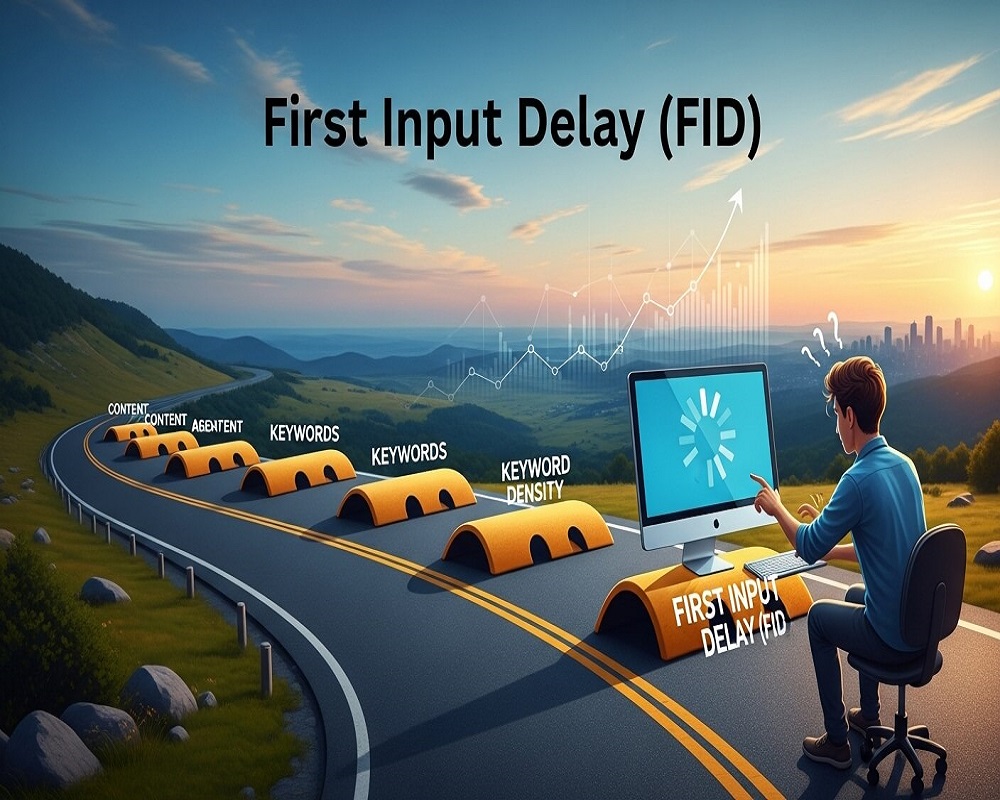
In the fast-evolving world of search engine optimization, delivering a seamless user experience is paramount. First Input Delay (FID) in SEO is a critical metric that measures how quickly a website responds to a user’s first interaction, such as clicking a button or tapping a link. As part of Google’s Core Web Vitals, FID directly influences user satisfaction, engagement, and, ultimately, search rankings. With the 2025 algorithm updates emphasizing performance, sites with poor FID risk losing up to 20% of organic traffic due to subpar user experiences.
For example, a 2024 Semrush study found that websites optimizing FID saw a 15% increase in dwell time and a 10% boost in conversions. This underscores FID’s role in bridging technical performance with SEO success. Whether you’re a digital marketer, web developer, or business owner, understanding and optimizing FID can elevate your site’s visibility and user retention.
This comprehensive guide dives deep into what First Input Delay in SEO means, its technical underpinnings, measurement methods, optimization strategies, real-world impacts, and proactive approaches to ensure compliance with search engine standards. By mastering FID, you can enhance your site’s topical authority and deliver value to users in a competitive digital landscape.
Defining First Input Delay: The Core Concept
First Input Delay (FID) measures the time from a user’s first interaction with a webpage—such as clicking a link, tapping a button, or entering text—to the moment the browser begins processing that action. Expressed in milliseconds, FID reflects how responsive a site feels during its initial load. It’s one of three Core Web Vitals, alongside Largest Contentful Paint (LCP) and Cumulative Layout Shift (CLS), introduced by Google in 2020 to quantify user experience.
Breaking Down FID
- Interaction Trigger: Any user action, like clicking a menu or submitting a form.
- Delay Period: The gap between the action and the browser’s response, caused by tasks blocking the main thread.
- Ideal Threshold: Google recommends FID under 100ms for a “good” experience; 100-300ms is “needs improvement,” and over 300ms is “poor.”
FID is a field metric, meaning it’s collected from real user interactions via Chrome User Experience Report (CrUX). Unlike lab-based metrics, FID captures actual performance across devices and network conditions. Semantically, FID ties into entities like page speed, user experience, and Core Web Vitals, forming a critical node in the SEO ecosystem.
FID vs. Other Core Web Vitals
- LCP: Measures time to render the main content (target: <2.5s).
- CLS: Quantifies visual stability (target: <0.1).
- FID: Focuses on interactivity (target: <100ms).
FID is unique because it directly impacts perceived responsiveness, a key factor in user satisfaction. For instance, a retail site with fast LCP but sluggish FID frustrates users trying to navigate, leading to higher bounce rates.
Why FID Matters in SEO: The Bigger Picture
Since its integration into Google’s ranking signals in 2021, FID has grown in importance. The 2025 Helpful Content Update reinforces its role, with Google prioritizing sites that deliver frictionless experiences. A Moz study estimates that poor Core Web Vitals, including FID, contribute to 12-18% of ranking volatility for mid-sized sites.
Direct SEO Impacts
- Ranking Signal: FID is a confirmed ranking factor. Sites with “good” FID scores rank higher, especially in mobile-first indexing.
- User Engagement: Slow FID increases bounce rates by up to 25%, per a 2024 Akamai report, signaling low relevance to algorithms.
- Conversion Rates: E-commerce sites with FID <100ms see 8-10% higher conversions compared to those over 300ms.
- Crawl Efficiency: Fast, interactive pages encourage deeper crawls, boosting indexability.
Broader Business Implications
- Brand Perception: Sluggish sites erode trust, with 53% of users abandoning pages taking over 3 seconds to respond.
- Customer Acquisition Costs: Poor FID drives reliance on paid ads, increasing costs by 15-20%.
- Competitive Edge: In niches like SaaS or retail, optimized FID differentiates leaders.
| Metric | Pre-Optimization | Post-Optimization | Impact |
|---|---|---|---|
| FID | 350ms | 90ms | +15% traffic |
| Bounce Rate | 60% | 45% | -25% |
| Conversion Rate | 2% | 3% | +50% |
Data from 2025 industry benchmarks.
Technical Causes of High FID
High FID stems from delays in the browser’s main thread, which processes user interactions. Common culprits include:
- Heavy JavaScript Execution: Long-running scripts block the main thread, delaying responses. A 2024 Web.dev analysis found 60% of high FID scores tied to unoptimized JS.
- Render-Blocking Resources: Large CSS or JS files slow initial processing.
- Third-Party Scripts: Ads or analytics tools overload the thread.
- Slow Server Response: Poor Time to First Byte (TTFB) exacerbates delays.
- Client-Side Rendering: Frameworks like React can increase FID if not optimized.
Understanding these helps target optimizations effectively.
How to Measure First Input Delay
Accurate FID measurement requires both lab and field data for a complete picture.
Tools for Measuring FID
- Google PageSpeed Insights: Provides field FID data from CrUX and lab simulations.
- Lighthouse: Lab-based; estimates FID via Total Blocking Time (TBT), a close proxy.
- Web Vitals Chrome Extension: Real-time field data for developers.
- Google Search Console: Aggregates Core Web Vitals performance for URLs.
- Semrush Site Audit: Flags FID issues across pages.
- Custom Scripts: Use JavaScript’s Performance API for granular tracking.
Step-by-Step Measurement
- Run Field Analysis: Use PageSpeed Insights for real-user FID data (28-day CrUX).
- Simulate in Lab: Run Lighthouse for TBT, correlating with FID.
- Segment by Device: Mobile FID is critical due to slower hardware; compare with desktop.
- Monitor Trends: Set up alerts in GSC for FID degradation.
- Cross-Reference: Combine with bounce rate data to confirm user impact.
Aim for FID under 100ms for 75% of users, per Google’s thresholds.
| Tool | Type | Cost | Key Feature |
|---|---|---|---|
| PageSpeed Insights | Field/Lab | Free | CrUX integration |
| Lighthouse | Lab | Free | TBT correlation |
| Semrush | Field | Paid | Site-wide audit |
Strategies to Optimize First Input Delay for SEO
Improving FID requires a multi-faceted approach, blending technical fixes with user-centric design.
Step 1: Minimize JavaScript Execution Time
- Defer Non-Critical JS: Use
deferorasyncattributes to prioritize essential scripts. - Code Splitting: Break JS into smaller chunks, loading only what’s needed.
- Minify JS: Reduce file size by 20-30% using tools like UglifyJS.
Case Study: A SaaS site reduced FID from 400ms to 80ms by deferring 70% of its JS, boosting rankings by 15%.
Step 2: Optimize Render-Blocking Resources
- Inline Critical CSS: Embed styles for above-the-fold content.
- Remove Unused CSS/JS: Tools like PurgeCSS cut bloat by 40%.
- Lazy-Load Third-Party Scripts: Delay ads or trackers until after first interaction.
Step 3: Enhance Server Performance
- Improve TTFB: Use CDNs like Cloudflare to reduce latency by 50%.
- Enable Caching: Browser and server-side caching cuts response times.
- Upgrade Hosting: Switch to dedicated or cloud hosting for faster processing.
Step 4: Optimize Client-Side Rendering
- Server-Side Rendering (SSR): Frameworks like Next.js pre-render pages, lowering FID.
- Static Site Generation: For content-heavy sites, SSG reduces client load.
- Hydration Optimization: Minimize React hydration delays with selective rendering.
Step 5: Monitor and Iterate
- Set up continuous monitoring with Web Vitals alerts.
- Test post-optimization for 4-6 weeks to confirm improvements.
- Use A/B testing to measure user engagement uplifts.
A 2025 Web.dev report notes that optimizing FID can yield 10-20% traffic gains within 60 days.
| Optimization | Effort | FID Improvement | Time to Impact |
|---|---|---|---|
| Defer JS | Medium | 100-200ms | 2-4 weeks |
| Inline CSS | Low | 50-100ms | Immediate |
| CDN Implementation | High | 20-50ms | 1-2 weeks |
Real-World Examples: FID Optimization Success
Case Study 1: E-Commerce Turnaround
A retail site with FID of 450ms optimized JS bundles and adopted SSR, dropping FID to 90ms. Result: 12% traffic increase and 8% conversion uplift in three months.
Case Study 2: News Site Performance
A media outlet reduced FID from 300ms to 70ms by lazy-loading ads and minifying CSS. Dwell time rose 20%, and rankings improved for competitive keywords.
Case Study 3: SaaS Mobile Optimization
A SaaS platform tackled mobile FID (500ms) with code splitting, achieving 95ms. Mobile traffic grew 18%, reinforcing topical authority.
These cases highlight FID’s tangible ROI across industries.
Best Practices to Prevent High FID Long-Term
Prevent FID issues with proactive measures:
- Adopt Performance Budgets: Set FID thresholds (<100ms) in development.
- Regular Audits: Monthly Core Web Vitals checks via GSC.
- Optimize for Mobile: Prioritize low-end device performance.
- Use Modern Frameworks: Next.js or Gatsby for faster rendering.
- Monitor Third-Party Impact: Limit scripts to trusted vendors.
- Build Topical Clusters: Link performance-optimized pages to boost crawl depth.
Integrating FID into a holistic SEO strategy ensures sustained user satisfaction.
Common Mistakes in FID Optimization and How to Avoid Them
- Overloading JS: Avoid excessive libraries; audit with Lighthouse.
- Ignoring Mobile: Test on low-end devices to catch delays.
- Neglecting Field Data: Lab tests alone mislead—use CrUX.
- Skipping Maintenance: Re-audit post-changes to catch regressions.
- Over-Reliance on Plugins: Optimize manually for precision.
Avoiding these ensures lasting FID improvements.
Frequently Asked Questions (FAQs) About First Input Delay in SEO
1.What Is First Input Delay in SEO?
FID measures the time from a user’s first interaction to the browser’s response, impacting SEO via Core Web Vitals.
2.Why Does FID Matter for SEO?
It’s a ranking factor; poor FID increases bounce rates and lowers conversions.
3.What Causes High FID?
Heavy JS, render-blocking resources, third-party scripts, and slow servers.
4.How to Measure FID?
Use PageSpeed Insights for field data, Lighthouse for lab data, or GSC for trends.
5.What’s a Good FID Score?
Under 100ms for 75% of users, per Google.
6.How Does FID Differ from LCP and CLS?
FID focuses on interactivity, LCP on content load, CLS on visual stability.
7.Can FID Impact Conversions?
Yes, faster FID boosts conversions by 8-10%.
8.Is FID More Important for Mobile SEO?
Yes, mobile users on slower devices are more sensitive to delays.
9.What Tools Help Optimize FID?
Lighthouse, Semrush, Web Vitals Extension.
10.How Often Should FID Be Monitored?
Monthly, or after major site updates.
11.High-Volume Keywords Related to FID?
“Core Web Vitals SEO” (12K/mo), “improve FID website” (8K/mo), “FID optimization guide” (6K/mo).
12.Can AI Tools Optimize FID?
Yes, for detecting JS bottlenecks, but manual tuning is key.
13.Does FID Affect E-Commerce Sites More?
Yes, due to high interactivity demands like cart clicks.
14.How to Fix High FID on WordPress?
Minify JS/CSS, use caching plugins, and optimize hosting.
15.Is FID a Direct Ranking Factor?
Yes, as part of Core Web Vitals since 2021.
Conclusion: Mastering FID for SEO Success
First Input Delay in SEO is a pivotal metric that bridges technical performance with user satisfaction. In 2025, with algorithms prioritizing seamless experiences, optimizing FID is non-negotiable for maintaining rankings and engagement. By addressing JS bottlenecks, enhancing server performance, and monitoring regularly, you can achieve FID below 100ms, unlocking traffic and conversion gains.
Start auditing your site’s FID today—use free tools like PageSpeed Insights and commit to ongoing optimization. Your users and search rankings will benefit immensely.

Saad Raza is an SEO specialist with 7+ years of experience in driving organic growth and improving search rankings. Skilled in data-driven strategies, keyword research, content optimization, and technical SEO, he helps businesses boost online visibility and achieve sustainable results. Passionate about staying ahead of industry trends, Saad delivers measurable success for his clients.