
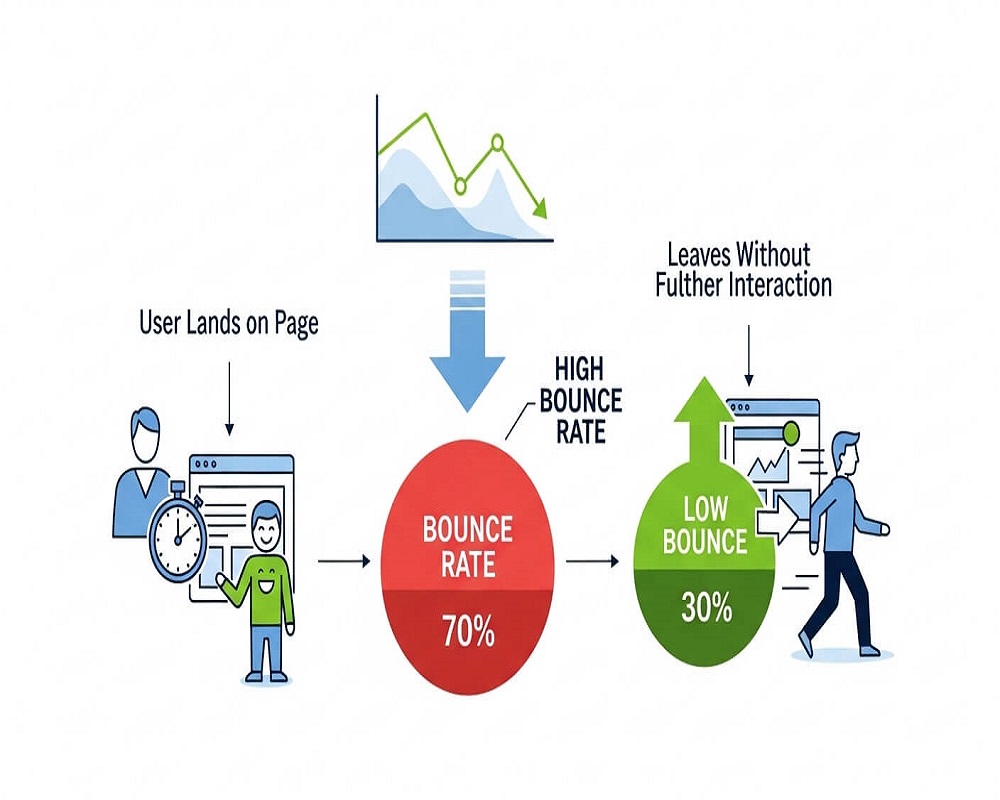
Short answer: Bounce rate is the percentage of visits where someone lands on a page and leaves without engaging. In Google Analytics 4 it means sessions that lasted under 10 seconds, viewed only one page and triggered no key event. Google has said it does not use analytics bounce rate for ranking, but a high rate often points to a page that misses search intent, loads slowly or gives visitors no clear next step.
This guide is for site owners, marketers and writers who have opened GA4, seen a bounce rate they did not like, and want to know whether it matters and what to do. You will be able to calculate and read your own figure, judge it against the right benchmark for the page type, find the pages worth fixing, and apply the changes that actually move it.
What is bounce rate?
A bounce is a visit that starts and ends on one page without any meaningful interaction. Bounce rate is those visits as a share of all visits.
How “meaningful interaction” is defined changed with GA4. In the old Universal Analytics, any single-page session was a bounce, even if the visitor read for ten minutes. GA4 is fairer. Google’s engagement documentation says a session is engaged if it lasts longer than 10 seconds, has a key event (for example a form submission or a call click you have marked as key), or has two or more page or screen views. Bounce rate is simply the percentage of sessions that were not engaged, which makes it the exact inverse of engagement rate.
The formula
Bounce rate (%) = (sessions that were not engaged ÷ total sessions) × 100
If a page had 2,400 sessions and 1,320 of them were engaged, 1,080 were not, so the bounce rate is 1,080 ÷ 2,400 × 100 = 45%. Engagement rate is the other 55%.
Bounce rate calculator
Take the sessions and engaged sessions for one page or one landing page group from GA4, filtered to organic search if SEO is your focus, and enter them below.
GA4 bounce rate calculator
How to read it: these bands are my own reading aid, not Google or industry rules. A single number means little without the page type, traffic source and device behind it.
Rather have an expert do this for you?
Hand it over and get back to running your business.
Bounce rate vs exit rate vs engagement rate
| Metric | What it counts | Question it answers | Where it helps |
|---|---|---|---|
| Bounce rate | Sessions that were not engaged, as a share of all sessions | Did people who landed here do anything? | Landing pages from search, ads and social |
| Engagement rate | Engaged sessions as a share of all sessions | The same question, framed positively | GA4’s default reports; equals 100% minus bounce rate |
| Exit rate | How often a page was the last one viewed in a session, whatever happened before | Where do journeys end? | Checkout steps, forms and multi-page funnels |
| Average engagement time | How long the page was in focus in the browser | Did people actually read? | Long articles where one-page visits are normal |
A thank-you page should have a high exit rate. A step in your checkout should not. Bounce rate only tells you about the first page of a visit, so it is the right metric for pages people land on from Google, and close to useless for pages they reach by clicking around.
Does bounce rate affect SEO?
Not directly. Google has said so repeatedly: Matt Cutts in 2010 said Google Analytics is not used in rankings, Gary Illyes said in 2015 that Google does not use analytics or bounce rate in search ranking, and John Mueller called it a misconception in 2022, as collected by Search Engine Journal. Many sites do not even run Google Analytics, so it would make a poor ranking signal.
That does not make the number useless for SEO. The causes of a high bounce rate are things that do matter: a page that does not answer the query (see search intent), a slow or jumpy page, an intrusive pop-up, or thin content. Fix those causes and you help both users and rankings. Treat bounce rate as a diagnostic, not a target. The related ideas of dwell time and click-through rate sit in the same family and are equally often over-interpreted.
What is a good bounce rate?
There is no universal good number. The most recent public benchmark I can verify is Databox’s GA4 data for September 2024: a 44.04% median across all industries, from 35.76% for apparel and footwear to 48.38% for IT and services. Databox does not publish its sample size, so treat these as a rough context, not a standard. What matters more is the job the page is doing.
| Page type | What a bounce usually means | Worry if… |
|---|---|---|
| Quick-answer article or definition | Often success: the reader got the answer | Engagement time is very short as well |
| Long guide or blog post | Mixed: some read and leave satisfied | Organic visitors leave in seconds; no one clicks related posts |
| Service page | Usually a lost lead | Rate is far above your other service pages |
| Product or category page | Shopper did not find the item or the price put them off | Mobile rate is much higher than desktop |
| Contact or location page | Can be success if they called from the number on screen | Calls and WhatsApp clicks are not tracked as key events |
That last row matters on many Pakistani small business sites I audit. Visitors tap a phone number or a WhatsApp button, which is the whole point of the page, but neither click is tracked as a key event, so GA4 records the visit as a bounce. Before judging a contact page, mark tel: and WhatsApp clicks as key events.
How to find high-bounce pages in GA4
- Open Reports > Engagement > Landing page. Bounce rate is not shown by default, so click the pencil icon, add Bounce rate under Metrics and save the report.
- Add a comparison or filter for Session default channel group = Organic Search, so you are looking at search visitors only.
- Sort by sessions and look at the top 20 landing pages, not the pages with five visits and a 100% rate.
- Add a Device category comparison. A large mobile-only gap usually means a mobile layout, speed or pop-up problem.
- For each problem page, open Search Console and check the queries it ranks for. Mismatched queries explain most high bounce rates on organic pages. My guide to using Google Analytics for SEO covers the reports in more depth.
How to reduce bounce rate
1. Match the page to the query
If a page ranks for “bounce rate formula” and opens with three paragraphs of history, people leave. Put the answer people searched for at the top, then expand. Rewrite titles and meta descriptions that promise something the page does not deliver.
2. Make the page fast and stable
Google recommends an LCP within 2.5 seconds, INP under 200 milliseconds and CLS under 0.1 (Google Search Central). The Economic Times case study above shows what improving these can do. Start with oversized images and slow hosting; my Core Web Vitals guide explains each metric, and the free PageSpeed checker shows where you stand.
3. Remove what gets in the way
Full-screen pop-ups on arrival, cookie banners covering half a phone screen, and auto-playing video all push people back to Google. Google has also warned about intrusive interstitials on mobile.
4. Make it easy to read
Short paragraphs, descriptive subheadings, a table of contents on long guides, and a font size that works on a phone. Run the copy through a readability checker if you are unsure.
5. Give a clear next step
Every landing page should answer “what now?” A service page needs a visible call or WhatsApp button; an article needs two or three contextual links to the next logical read. Good internal linking lowers bounce rate and helps Google understand your site at the same time.
6. Fix the traffic, not just the page
Sometimes the page is fine and the visitors are wrong: an ad targeted too broadly, or a post ranking for an unrelated query. Segment by source before rewriting anything.
High bounce rate checklist
- Check tracking first: one GA4 tag per page, consent mode working, key events set up.
- Track calls and WhatsApp: mark tel: and wa.me clicks as key events.
- Filter to organic landing pages: top 20 by sessions.
- Compare mobile and desktop: a big gap points to layout or speed.
- Read the ranking queries: in Search Console, for each problem page.
- Answer first: the main answer visible without scrolling.
- Check title promise: title and description match the content.
- Test speed: LCP within 2.5s, CLS under 0.1 on mobile.
- Remove entry pop-ups: especially full-screen ones on mobile.
- Add a next step: CTA or two to three contextual internal links.
- Re-measure after 4 weeks: same page, same channel, same device split.
Ticks are saved in your browser.
Mistakes I see when clients try to lower bounce rate
- Firing fake events (for example a scroll or timer event marked as key) so the number drops. The report looks better and nothing has improved.
- Splitting articles into pages to force a second page view. It annoys readers and dilutes the content.
- Comparing GA4 with old Universal Analytics figures. The definitions differ, so the drop you see after switching is mostly a change in measurement.
- Judging a site-wide average. Blog posts and contact pages behave differently; average them and you learn nothing.
- Rewriting a page that converts well because its bounce rate is high. If enquiries come in, the page is working.
Frequently asked questions
Is a high bounce rate bad for SEO?
Not in itself. Google has said it does not use analytics bounce rate in ranking. A high rate is worth investigating because its common causes, such as content that misses intent or a slow page, can hurt rankings and conversions.
What is a good bounce rate?
It depends on the page. Databox’s September 2024 GA4 data put the all-industry median at 44.04%, but a quick-answer article can be healthy at a much higher rate, while a service page well above your site’s other service pages needs attention.
How is bounce rate calculated in GA4?
It is the percentage of sessions that were not engaged. A session is engaged if it lasts longer than 10 seconds, has a key event, or has at least two page or screen views. Bounce rate is therefore 100% minus engagement rate.
Why did my bounce rate drop after moving to GA4?
Because the definition changed. Universal Analytics counted every single-page visit as a bounce. GA4 does not count a single-page visit as a bounce if the visitor stayed longer than 10 seconds or completed a key event.
What is the difference between bounce rate and exit rate?
Bounce rate looks at sessions that start on a page and are not engaged. Exit rate looks at how often a page is the last one viewed, whatever happened earlier in the visit. Use bounce rate for landing pages and exit rate for funnels.
Can bounce rate be too low?
Yes, when it is a tracking error. A rate under 10% to 15% across a whole site often means a duplicate tag or an event firing automatically, so check the setup before celebrating.
Sources
- Google Analytics Help, “[GA4] Engaged sessions, engagement rate and bounce rate” (accessed 2026).
- Google Search Central, “Understanding Core Web Vitals and Google search results” (accessed 2026).
- Databox, “Content Marketing Benchmarks by Industry”, GA4 data for September 2024.
- web.dev, “How The Economic Times passed Core Web Vitals thresholds” (2021).
- Search Engine Journal, “Is bounce rate a Google ranking factor?” (updated 2024).
If your landing pages lose visitors and you are not sure whether the cause is intent, speed or tracking, my SEO audit service checks all three, and slow templates are covered by website speed optimisation. You can also send me a question.
Request received
Thank you! Saad will contact you within the next 24 hours.
Keep an eye on your phone and inbox.