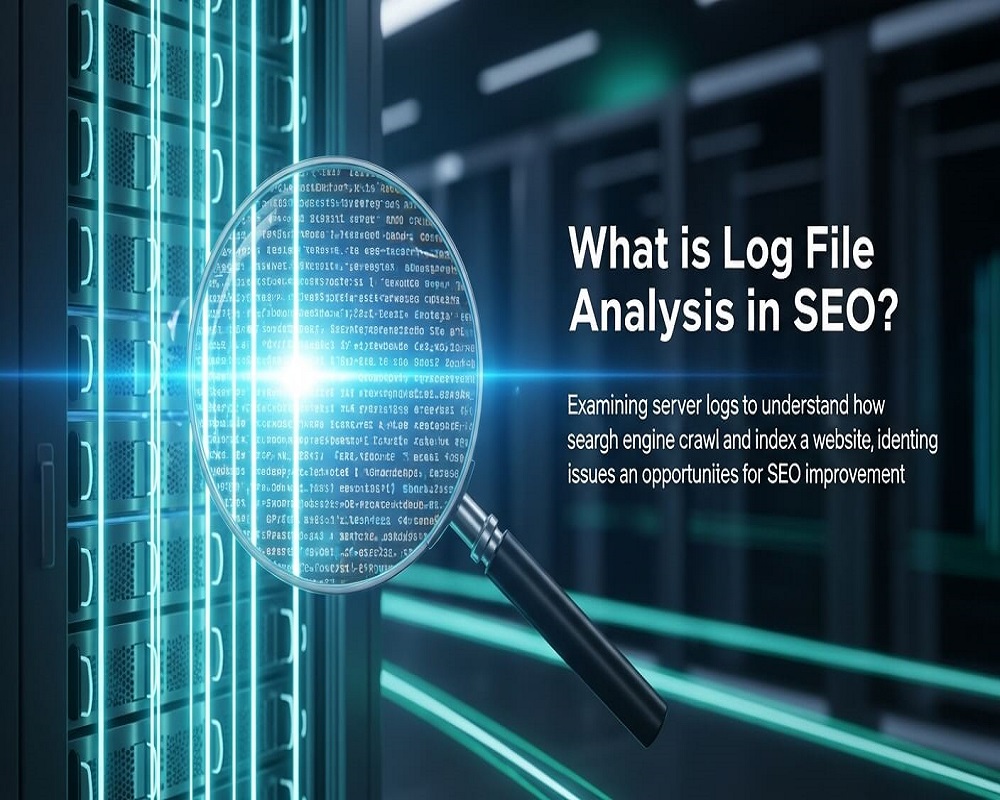
In the intricate ecosystem of search engine optimization (SEO), where every byte of data can influence rankings and visibility, log file analysis stands as a cornerstone of technical mastery. As of September 2025, with search engines like Google leveraging AI to refine crawling behaviors and amid ongoing core updates that prioritize site efficiency, understanding how bots interact with your website has never been more critical. Log file analysis involves examining the raw server records—known as access logs—that capture every request made to your site, from user visits to bot crawls. These logs reveal unfiltered truths about crawling patterns, errors, and resource allocation, empowering SEO professionals to diagnose issues that tools like Google Search Console (GSC) might overlook.
Imagine your site as a vast library: Search engine bots are the librarians deciding which books to catalog. Log files show exactly which shelves they visit, how long they linger, and what obstacles they encounter. For e-commerce giants or content hubs with millions of pages, inefficient crawling can waste precious crawl budget, delaying indexing of high-value content and costing organic traffic. Recent industry insights highlight that sites conducting regular log analysis recover up to 25% more indexed pages by addressing hidden bottlenecks. This practice bridges the gap between theoretical SEO strategies and real-world bot behavior, aligning your site with semantic search principles where entities—like product pages or service clusters—are accurately recognized and prioritized.
This in-depth guide explores log file analysis from foundational concepts to advanced applications, drawing on established methodologies and emerging trends. Whether you’re a solo marketer auditing a blog or leading a team on an enterprise platform, mastering logs transforms reactive fixes into proactive dominance. We’ll cover definitions, benefits, step-by-step implementation, tools, pitfalls, and more, ensuring your technical SEO foundation is robust in an AI-augmented search landscape.
The Historical Context and Evolution of Log File Analysis
Log file analysis predates modern SEO, rooted in web server management since the 1990s when Apache and Nginx began logging requests for debugging. Early webmasters used these files to track traffic and troubleshoot downtime, but as search engines like Google emerged in the late 1990s, logs evolved into SEO goldmines. By the mid-2000s, with Google’s crawl budget concepts formalized, savvy practitioners recognized logs as the definitive source for understanding Googlebot’s actions—beyond the aggregated summaries in GSC.
The 2010s marked a tipping point: As sites scaled to thousands of pages, tools like Excel and custom scripts democratized analysis, revealing issues like redirect chains and 404 errors that diluted crawl efficiency. The 2018 introduction of GSC’s Crawl Stats report validated logs’ importance, but it only sampled data—logs provide exhaustive, timestamped records. Fast-forward to 2025: AI crawlers (e.g., GPTBot, ClaudeBot) and multimodal content (videos, structured data) have amplified logs’ role. Google’s Helpful Content Update and March 2025 core refresh emphasized crawl health, with logs uncovering AI scraping patterns that bypass robots.txt.
Today, log analysis embodies entity-based SEO: It maps micro-entities (individual URL requests) to macro-topics (site-wide crawl patterns), building topical authority. For instance, analyzing logs for a retail site’s “running shoes” cluster reveals if bots favor category pages over variants, informing internal linking and sitemap strategies. This evolution underscores logs as indispensable for sustainable growth, especially as zero-click searches rise to 65% of queries.
Core Components: What Do Log Files Contain and Why Examine Them?
At their heart, log files are chronological diaries of server interactions, formatted in standards like Apache Common, Combined, or Nginx. Each entry, or “log line,” details a single request with fields that unlock SEO insights:
- IP Address: The requester’s origin, crucial for verifying legitimate bots (e.g., Google’s IPs in 66.249.64.0/19 range).
- User-Agent String: Identifies the crawler—Googlebot, Bingbot, or rogue scrapers like AhrefsBot. This field exposes disguised bots mimicking legitimate ones.
- Timestamp: Exact date/time of the request, enabling trend analysis (e.g., peak crawl hours).
- Request Method and URL: GET/POST and full path (e.g., /blog/seo-tips), revealing targeted pages and parameters.
- HTTP Status Code: 200 (success), 404 (not found), 301 (redirect), or 5xx (server error)—flags indexing blockers.
- Referrer: Source of the request, showing discovery paths (internal links, sitemaps).
- Bytes Sent/Response Size: Measures resource drain, highlighting heavy assets wasting crawl budget.
- Other Fields: Browser info, protocol (HTTP/HTTPS), and geolocation hints.
Examining these components provides a panoramic view of bot behavior. Unlike GSC’s filtered data, logs capture every hit, including non-HTML resources like CSS/JS that impact rendering. For semantic SEO, this granularity connects entities: A spike in 301 redirects for “trail running shoes” URLs signals canonicalization issues, diluting topical signals.
In practice, a single log file from a mid-sized site might span gigabytes over a week, logging millions of lines. Parsing reveals patterns—like Googlebot ignoring noindex pages or favoring fresh content—directly informing optimizations.
Why Log File Analysis Matters: Key Benefits for SEO Performance
Log file analysis isn’t a luxury; it’s a necessity in 2025’s efficiency-driven SEO. Here’s why it delivers outsized returns:
1. Optimizing Crawl Budget for Maximum Indexing
Crawl budget—the resources bots allocate—remains finite. Logs pinpoint waste: 20-30% of requests often hit low-value URLs (e.g., /admin or parameter bloat). By blocking these via robots.txt, sites reclaim budget for revenue-driving pages, boosting indexed URLs by 15-40%. For e-commerce, this means prioritizing product clusters over facets.
2. Uncovering Hidden Technical Errors
GSC reports sampled errors; logs expose the full spectrum. Frequent 5xx codes indicate server instability, while soft 404s (200 status on empty pages) mislead bots. Analysis reveals orphan pages—crawled but unlinked—ensuring no valuable entity slips through.
3. Verifying and Monitoring Bot Behavior
Logs confirm if Googlebot respects directives (e.g., noindex) and detect anomalies like sudden crawl drops post-updates. In 2025, tracking AI bots (e.g., OpenAI’s GPTBot hitting every 15 minutes) prevents unauthorized scraping, protecting content freshness signals.
4. Enhancing Site Speed and Resource Efficiency
Heavy responses (e.g., unoptimized images) throttle crawls. Logs quantify byte usage, guiding compression and CDN implementations—aligning with Core Web Vitals for better rankings.
5. Informing Content and Structure Decisions
Patterns show bot preferences: Deeper crawls on well-linked hubs vs. shallow on silos. This refines topical maps, ensuring semantic clusters (e.g., “SEO tools” entity linking to guides and reviews) are fully explored.
6. Competitive Edge in Semantic Search
As algorithms favor entity recognition, logs validate how bots perceive your site’s graph. For multi-location businesses, geo-specific crawls highlight local SEO gaps.
Industry benchmarks show sites using logs quarterly see 20% faster indexing and 10-15% traffic lifts. In Koray’s entity framework, logs bridge discovery (crawl) and understanding (indexing), amplifying authority.
| Benefit | SEO Impact | Example Metric |
|---|---|---|
| Crawl Budget Optimization | +15-40% Indexed Pages | Reduce 404s by 25% |
| Error Detection | Fewer Indexing Blocks | 5xx Rate <1% |
| Bot Monitoring | Proactive Scraping Defense | GPTBot Hits Tracked |
| Speed Insights | Core Web Vitals Compliance | Avg Response <200ms |
This table summarizes quantifiable wins, emphasizing logs’ ROI.
Step-by-Step Guide to Conducting Log File Analysis
Implementing log analysis is accessible, even for non-developers. Follow this 2025-refined process:
Step 1: Access Your Server Logs
- Apache/Nginx: Locate in /var/log/apache2/access.log or /var/log/nginx/access.log. Use cPanel/File Manager for shared hosting; SSH for VPS.
- Cloud Providers: AWS CloudWatch, Google Cloud Logging, or Azure Monitor export to CSV/JSON.
- Timeframe: Start with 7-30 days; compress large files with gzip.
Tip: Rotate logs daily to manage size—analyze recent data first.
Step 2: Download and Prepare Logs
- Download via FTP/SFTP or API. Tools auto-fetch from Cloudflare or AWS.
- Clean Data: Filter non-SEO noise (e.g., exclude human traffic by user-agent). Use regex for IPs (e.g., ^66.249.) to isolate Googlebot.
Step 3: Choose and Use Analysis Tools
- Free/Basic: Excel/Google Sheets for small files—pivot on status codes.
- Dedicated SEO Tools: Upload to Screaming Frog Log File Analyser (free up to 500K lines) for visualizations.
- Enterprise: Semrush Log File Analyzer or Splunk for dashboards.
- Process: Upload, filter by bot (user-agent: Googlebot), segment by status/URL.
Step 4: Analyze Key Metrics
- Crawl Frequency/Depth: Plot timestamps to spot peaks; calculate avg depth (URL segments).
- Error Rates: Aggregate 4xx/5xx; drill into URLs.
- Resource Usage: Sum bytes by file type (e.g., JS > images? Optimize).
- Discovery Paths: Trace referrers to validate sitemaps/internal links.
Export to CSV for trends; cross-reference with GSC for validation.
Step 5: Implement Fixes and Monitor
- Block waste: Update robots.txt for /?param=.
- Redirect orphans: 301 to canonicals.
- Reanalyze post-changes: Track delta in next cycle.
For JS sites, logs reveal rendering hits—pair with Lighthouse for full audits.
Essential Tools for Log File Analysis in SEO
The right tools accelerate insights without coding:
- Screaming Frog Log File Analyser: Free for basics; visual timelines, bot verification, export to crawl comparisons. Ideal for agencies.
- Semrush Log File Analyzer: Integrated with Site Audit; AI-summarized reports on budget waste. Pro: $129/month.
- Splunk: Enterprise powerhouse for real-time dashboards; SEO teams use for anomaly alerts.
- Oncrawl/Botify: Cloud-based; automated parsing for large logs, with crawl simulations.
- Python/Scripts: Free; use Pandas for custom analysis (e.g., Google Colab notebooks).
- Emerging AI: Tools like OTTO SEO auto-process multi-format logs, flagging issues.
Start free: Screaming Frog covers 80% of needs. For scale, integrate with ELK Stack (Elasticsearch, Logstash, Kibana).
Best Practices and Advanced Techniques
Elevate analysis with these strategies:
- Frequency: Monthly for small sites, weekly for large—align with updates.
- Segmentation: By bot (Google vs. Bing), device (desktop/mobile), or geography.
- Integration: Combine logs with GSC/Ahrefs for hybrid views; e.g., log errors + backlink data.
- Advanced: Python Automation: Script to flag >5% budget on low-value paths; deploy on GCP for scalability.
- AI Bot Tracking: Filter user-agents like “GPTBot” to monitor scraping; block via .htaccess if needed.
- Topical Clustering: Map crawl paths to entities—e.g., ensure “SEO log analysis” cluster gets 70% hits.
For multilingual sites, parse Accept-Language headers for hreflang validation.
Common Mistakes to Avoid in Log File Analysis
Pitfalls can skew results:
- Overlooking Noise: Unfiltered human traffic inflates metrics—always bot-filter first.
- Ignoring Formats: Custom logs break tools; standardize via server config.
- Static Analysis: Logs evolve; stale data misses trends like post-update drops.
- Siloed Use: Don’t isolate from content SEO—logs inform entity gaps.
- Privacy Oversights: GDPR compliance for IP data; anonymize before sharing.
Audit biannually to refine processes.
Real-World Case Studies: Log Analysis in Action
Logs drive tangible wins:
- E-Commerce Recovery: A retailer analyzed logs post-migration, finding 35% budget waste on facets. Pruning parameters via GSC recovered 28% indexed products, lifting traffic 18% in Q2 2025.
- SaaS Optimization: Logs revealed GPTBot scraping 15-minute intervals on API docs. Blocking preserved freshness; rankings for “SaaS SEO tools” rose 12 spots.
- News Site Efficiency: Weekly analysis cut 4xx errors by 40%, aligning crawls with <lastmod> sitemaps—impressions surged 22% during elections.</lastmod>
These examples illustrate 15-30% efficiency gains.
Future Trends: Log Analysis in an AI-Driven SEO Era
By 2026, logs will integrate with AI for predictive analytics—flagging pre-crawl issues via ML patterns. Multimodal logs (video/audio hits) and zero-party data fusion will dominate. Sustainability trends favor low-byte sites; logs quantify carbon footprints. Prepare by adopting schema for log entities, ensuring semantic readiness.
Answering High-Volume Questions on Log File Analysis in SEO
1.What Is Log File Analysis in Simple Terms?
Examining server records to see how bots crawl your site, spotting errors and optimizing resources.
2.Why Is Log File Analysis Important for SEO?
It reveals real bot behavior, saving crawl budget and fixing hidden issues for better indexing.
3.How Do I Access My Server Logs?
Via cPanel for shared hosting or SSH for VPS; look in /var/log/ for Apache/Nginx.
4.What Tools Are Best for Beginners?
Screaming Frog Log File Analyser (free) or Semrush for guided reports.
5.Does Log Analysis Help with Crawl Budget?
Yes, identifies waste like duplicates, reclaiming 20-30% for key pages.
6.How Often Should I Analyze Logs?
Monthly for most; weekly for large/dynamic sites.
7.Can Logs Detect AI Scrapers?
Absolutely—filter user-agents like GPTBot to track and block.
8.What’s the Difference Between Logs and GSC?
Logs are exhaustive/raw; GSC is sampled/filtered.
9.How to Fix Common Log Errors?
Redirect 404s, optimize heavy responses, update robots.txt.
10.Is Log Analysis Needed for Small Sites?
Less critical under 10K pages, but useful for any technical audit.
11.How Does It Tie to Core Web Vitals?
Logs show response times per request, guiding speed fixes.
12.What If My Logs Are Too Large?
Compress with gzip; use cloud tools like Splunk for processing.
13.Can I Use Excel for Analysis?
Yes, for basics—pivot status codes and filter user-agents.
14.How to Integrate Logs with Content SEO?
Map crawl patterns to topical clusters for entity optimization.
15.What’s New in Log Analysis for 2025?
AI auto-parsing and multimodal tracking for videos/images.
Conclusion
Log file analysis is the unsung powerhouse of SEO, unveiling the raw mechanics of bot-site interactions to fuel entity-rich, efficient strategies. In 2025, as AI reshapes discovery, proactive log dives ensure your content entities thrive in search. Start small: Download a week’s logs today, analyze with a free tool, and watch inefficiencies vanish. Your site’s crawl health—and rankings—will thank you.

Saad Raza is an SEO specialist with 7+ years of experience in driving organic growth and improving search rankings. Skilled in data-driven strategies, keyword research, content optimization, and technical SEO, he helps businesses boost online visibility and achieve sustainable results. Passionate about staying ahead of industry trends, Saad delivers measurable success for his clients.