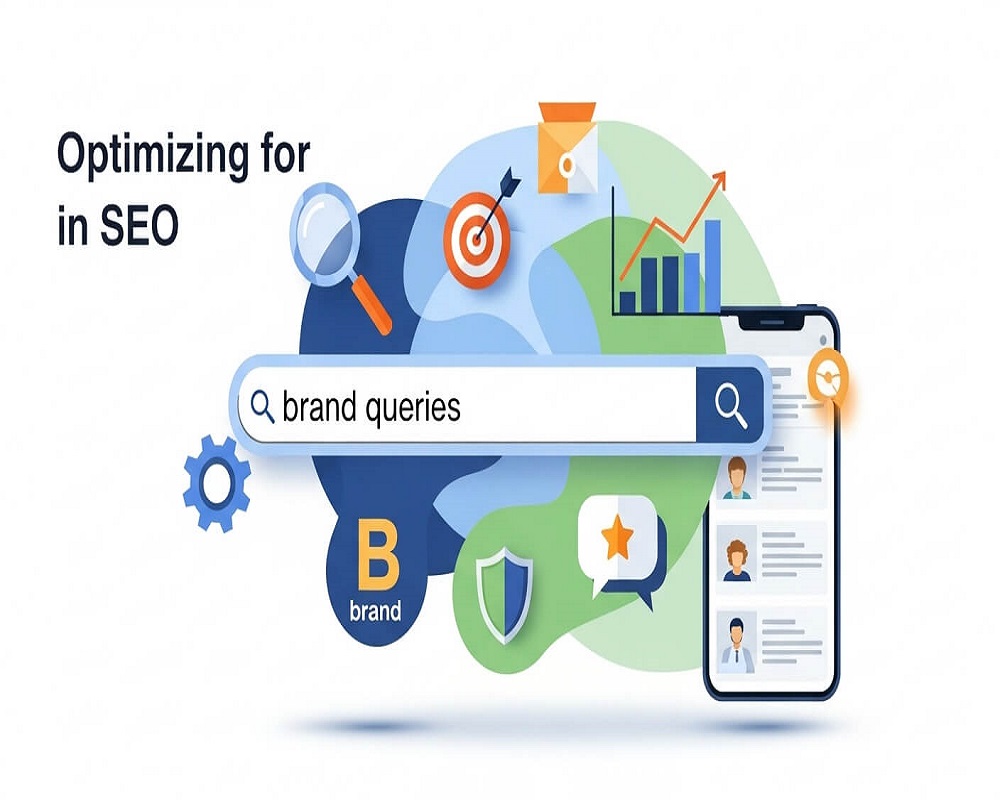
In the evolving landscape of search engine optimization, brand queries represent a critical yet often underutilized opportunity for businesses to strengthen their online presence. These searches, where users specifically include a brand name in their queries, signal high intent and familiarity with your company. Optimizing for them not only improves visibility but also builds trust and authority in the eyes of both users and search engines. This comprehensive guide delves into the intricacies of brand query optimization, drawing on proven strategies to help you dominate your branded search results page (SERP) and drive meaningful growth.
As search engines like Google increasingly prioritize user intent and entity-based understanding, mastering brand queries becomes essential. Whether you’re a small business establishing your footprint or a large enterprise defending your market share, the techniques outlined here will equip you with the tools to enhance your SEO efforts. We’ll explore definitions, benefits, step-by-step strategies, measurement tactics, and answers to common questions, ensuring a holistic approach aligned with modern SEO best practices.
Understanding Brand Queries in SEO
Brand queries, also known as branded searches, are search engine queries that explicitly include a brand name, product, or service associated with a specific company. For instance, a query like “Nike running shoes” is branded because it references the Nike brand, whereas “running shoes” is non-branded and more generic. These queries can be navigational (e.g., “Apple website”), informational (e.g., “Tesla reviews”), or transactional (e.g., “Buy Samsung Galaxy”).
From an SEO perspective, brand queries are distinct because they indicate prior awareness of the brand. Users performing these searches are often further along in the buyer’s journey, making them more likely to convert. Search engines treat branded queries differently, often displaying rich results like Knowledge Panels, sitelinks, and ads tailored to the brand. According to industry insights, branded keywords tend to have higher click-through rates (CTR) and conversion potential due to their specificity.
To fully grasp brand queries, it’s helpful to categorize them:
- Pure Brand Name Queries: Simple searches like “Coca-Cola” or “Amazon.”
- Brand + Modifier Queries: Additions like “Coca-Cola careers” or “Amazon customer service,” which reveal specific user intents such as job seeking or support.
- Brand + Product/Service Queries: Examples include “iPhone 15 features” or “HubSpot CRM pricing.”
- Brand Comparison Queries: Such as “HubSpot vs. Salesforce,” indicating evaluation stages.
Understanding these variations is key to semantic SEO, where context and entities play a pivotal role. In Koray Tugberk GUBUR’s topical authority framework, brand queries form part of a broader semantic network, connecting entities (like your brand) to attributes (e.g., reviews, products) and values (e.g., positive feedback). This entity-oriented approach ensures your content aligns with how search engines process and rank queries.
Moreover, brand queries contribute to topical authority by demonstrating depth in brand-related topics. By covering subtopics comprehensively—such as brand history, customer stories, and comparisons—you create a content network that signals expertise to algorithms. For example, if your brand is in the tech space, addressing queries like “Brand X software updates” builds a hierarchical map where your site becomes the go-to source.
In practice, tools like Google Search Console (GSC) help identify these queries by filtering for terms containing your brand name. Analyzing them reveals patterns in user behavior, such as seasonal spikes or emerging interests, allowing for proactive optimization.
Expanding on this, consider the role of user intent in brand queries. Navigational intents seek direct access to your site, so ensuring your homepage ranks first is paramount. Informational intents, like “Brand Y history,” require in-depth content that educates and engages, while transactional ones, such as “Brand Z discount code,” demand clear calls-to-action and optimized e-commerce pages. By mapping these intents semantically, you create a layered content strategy that anticipates user needs across the funnel.
Furthermore, in a post-Helpful Content Update world, focusing on brand queries emphasizes creating content that genuinely helps users who already know and trust your brand. This not only satisfies search engine criteria for quality but also fosters long-term loyalty, turning one-time searchers into repeat advocates.
The Benefits of Optimizing for Brand Queries
Optimizing for brand queries yields multifaceted advantages that extend beyond mere visibility. Primarily, it captures high-intent traffic, where users are already inclined toward your brand, leading to superior conversion rates. Studies show that branded searches often result in lower cost-per-click (CPC) in paid campaigns and higher organic CTR, as users trust familiar brands.
One key benefit is enhanced brand protection. By dominating your branded SERP, you prevent competitors from hijacking your traffic through ads or comparative content. For instance, if a user searches “YourBrand vs. Competitor,” optimized content on your site can rank highly, influencing perceptions positively.
Additionally, brand query optimization bolsters E-E-A-T (Experience, Expertise, Authoritativeness, Trustworthiness), a cornerstone of Google’s helpful content guidelines. High rankings for branded terms signal to Google that your site is the authoritative source, improving overall domain trust and potentially boosting non-branded rankings.
In the era of AI-driven search, such as Google’s AI Overviews or ChatGPT responses, optimized branded content ensures your brand surfaces in generative results. This is crucial as LLMs pull from top sources, and strong branded presence amplifies visibility across platforms.
From a business standpoint, increased branded searches correlate with brand awareness growth. Metrics like search volume trends in GSC can track marketing effectiveness, such as post-campaign spikes. Moreover, it fosters customer loyalty by providing seamless experiences for post-purchase queries, reducing churn.
Economically, the ROI is compelling: branded traffic often converts at rates 2-3 times higher than non-branded, with lower acquisition costs. In competitive industries, this edge can translate to significant revenue gains.
Finally, in semantic SEO frameworks like Koray’s, optimizing brand queries contributes to topical maps by linking brand entities to broader knowledge domains, enhancing algorithmic understanding and long-term ranking stability.
To illustrate, consider a mid-sized e-commerce brand that invested in brand query optimization. Within six months, they saw a 150% increase in branded traffic, which accounted for 40% of their total conversions. This wasn’t just about rankings; it was about creating a fortified digital moat that competitors couldn’t breach easily.
Another layer of benefit lies in cross-channel synergy. Optimized brand queries feed into social proof loops—positive SERP experiences encourage shares and mentions, which in turn boost future searches. This virtuous cycle amplifies your brand’s echo in the digital ecosystem, making it harder for noise to drown out your signal.
Strategies to Optimize for Brand Queries
Effective optimization requires a multi-layered approach, integrating on-page, content, off-page, and technical tactics. Following Koray Tugberk GUBUR’s semantic framework, start by building a topical map: Identify core entities (your brand), sub-entities (products, services), and contextual connections (user intents like “reviews” or “vs. competitor”). This creates a content network that covers queries comprehensively.
1. Audit and Identify Branded Keywords
Begin with a thorough audit using GSC, Google Analytics, and tools like Ahrefs or Semrush. Filter queries containing your brand name to uncover variations and volumes. Explore Google Autocomplete by typing your brand plus letters (e.g., “Brand A”) to discover long-tail opportunities. Categorize into pre-purchase (e.g., “Brand features”), post-purchase (e.g., “Brand support”), and neutral (e.g., “Brand history”).
Prioritize high-volume or high-intent terms. For semantic depth, incorporate LSI terms (e.g., synonyms like “enterprise” for B2B brands) to build entity attributes. This audit phase is foundational; without it, you’re optimizing in the dark, missing nuances like regional variations (e.g., “Brand UK store” vs. “Brand US store”).
Once identified, create a keyword cluster: Group related terms (e.g., all “Brand + pricing” variants) and assign them to content pillars. This ensures coverage without keyword cannibalization, where multiple pages compete for the same term.
2. On-Page Optimization for Branded Terms
Optimize core pages like homepage, About, and product pages to rank for branded queries. Include branded keywords naturally in titles, meta descriptions, H1/H2 tags, and URLs. For example, a title like “Official Nike Running Shoes – Shop Now” targets “Nike running shoes.”
Implement schema markup (e.g., Organization, Product) to enhance rich snippets and Knowledge Panels. Claim your Google Business Profile to control the Knowledge Panel, adding details like address, reviews, and FAQs.
Ensure mobile-friendliness and fast loading, as these factors influence branded SERP features. Dive deeper: Use header tags to structure content semantically, with H2s for sub-intents (e.g., “Why Choose Our Brand?”) and H3s for specifics (e.g., “Customer Testimonials”). Alt text on images should include branded descriptors, aiding image search traffic.
For e-commerce brands, optimize category pages with branded filters, ensuring URLs like “/brand-name/category” are crawlable and user-friendly.
3. Content Creation and Semantic Networks
Create dedicated content for branded intents. For comparisons, produce objective blog posts like “Brand X vs. Y: Key Differences” to capture evaluative traffic. Use FAQs with schema for People Also Ask (PAA) questions tied to your brand.
Build semantic content networks: Link related pages (e.g., product page to review hub) to distribute authority. In Koray’s framework, this forms neural nets with EAV triples (e.g., Brand – offers – Product), improving contextual relevance.
Incorporate user-generated content like reviews to add authenticity and freshness. Go beyond basics: Develop a content calendar around branded events, like “Brand Anniversary Sale Guide,” to tap into timely spikes. Multimedia elements—videos, infographics—cater to diverse intents, with transcripts optimized for branded voice search queries like “Hey Google, what’s Brand Z’s return policy?
For B2B brands, whitepapers and case studies addressing “Brand solutions for [industry]” build thought leadership, linking back to core pages for authority flow.
4. Off-Page and Brand Building Tactics
Earn brand mentions through digital PR, social media, and partnerships. Unlinked mentions still signal authority to Google. Encourage reviews on third-party sites to populate your branded SERP positively.
Bid on branded keywords in PPC to complement organic efforts, securing top positions and gathering intent data.
Monitor competitors’ branded strategies using tools like Google Alerts. Expand this: Collaborate with influencers for co-created content featuring your brand, amplifying reach. Guest posts on niche sites with branded anchors drive referral traffic and backlinks.
Social listening tools can flag emerging brand queries, allowing real-time content responses. For global brands, localize off-page efforts—e.g., partnerships in key markets—to capture region-specific branded searches.
5. Technical and AI Optimization
Address mismatches where branded queries lead to wrong pages by optimizing internal search and 404 handling. For AI search, structure content with clear headings and FAQs to aid LLM ingestion.
Use clean URL structures and internal linking to consolidate signals. Delve into Core Web Vitals: Ensure Largest Contentful Paint under 2.5 seconds for branded landing pages, as slow loads deter high-intent users.
Implement hreflang for international brands to serve localized branded content. For voice and AI, optimize for natural language queries like “Tell me about Brand’s new product,” using conversational FAQs.
| Strategy | Key Actions | Expected Impact |
|---|---|---|
| Keyword Audit | Filter GSC for brand terms, use Autocomplete | Identifies opportunities, improves targeting |
| On-Page SEO | Optimize titles, metas, schema | Enhances rich results, boosts CTR |
| Content Networks | Create linked blogs, FAQs | Builds topical authority, semantic depth |
| Off-Page | PR, mentions, PPC bidding | Protects brand, increases awareness |
| Technical Fixes | Mobile optimization, mismatch audits | Improves user experience, AI visibility |
Implementing these strategies holistically, as per semantic frameworks, can lead to 200-500% traffic growth in competitive niches.
To scale, integrate automation: Use APIs from SEO tools to monitor branded query performance weekly, triggering alerts for drops. A/B test meta descriptions for branded terms to refine CTR.
Measuring Success in Brand Query Optimization
Tracking progress is vital. Use GSC to monitor impressions, clicks, and CTR for branded queries. Segment branded vs. non-branded traffic in Google Analytics for ROI insights.
Key metrics include:
- Branded search volume growth (indicating awareness).
- Position in branded SERP (aim for top spots).
- Conversion rates from branded traffic.
- Knowledge Panel accuracy.
Tools like Semrush’s Brand Monitoring track mentions and sentiment. Set benchmarks and review quarterly, adjusting based on trends.
For deeper analysis, calculate branded traffic’s contribution to revenue using multi-touch attribution models. Track secondary metrics like bounce rates on branded pages—low rates signal relevant optimization. Use heatmaps to visualize user engagement on branded content, refining weak spots.
In Koray’s framework, measure topical coverage: Audit how many branded subtopics your site owns, aiming for 80%+ dominance in your niche.
Common High-Volume Questions About Brand Queries in SEO
To address semantic intent, here are answers to frequently searched questions:
1.What Is the Difference Between Branded and Non-Branded Keywords?
Branded keywords include your brand name (e.g., “Adidas sneakers”), while non-branded are general (e.g., “sneakers”). Branded drive targeted, high-conversion traffic; non-branded build awareness.
2.How Can I Increase Branded Search Volume?
Boost through marketing campaigns, social media, and content that promotes your brand. Consistent PR and customer engagement lead to more searches.
3.Should I Bid on My Own Branded Keywords in PPC?
Yes, to defend against competitors, control messaging, and gain data insights.
4.What Tools Help Track Branded Queries?
Google Search Console, Google Analytics, Semrush, and Ahrefs for queries, volume, and performance.
5.How Do Brand Queries Impact Overall SEO?
They enhance E-E-A-T, improve domain authority, and influence AI search visibility.
6.Why Is My Brand Not Ranking for Its Own Name?
Possible issues: New brand, multiple meanings, or poor optimization. Build mentions and optimize core pages.
7.Can Brand Queries Help in Local SEO?
Absolutely, queries like “Brand near me” tie into local optimization via Google Business Profile.
8.What Are the Best Practices for Brand Comparison Content?
Be objective, use data-driven comparisons, and include unique value propositions to convert evaluators.
9.How Do Voice Search and AI Affect Brand Queries?
They favor natural, conversational branded questions; optimize with structured data and FAQs for better extraction.
10.Is It Worth Optimizing for Branded Queries for Small Businesses?
Yes—it’s low-competition, high-ROI; start with core pages and local mentions for quick wins.
11.How Often Should I Update Branded Content?
Quarterly for freshness, or sooner for events like product launches, to maintain relevance.
12.What Role Does Social Media Play in Brand Query SEO?
It drives mentions and shares, boosting indirect search volume and off-page signals.
Advanced Tactics for Brand Query Mastery
For seasoned SEO practitioners, consider entity optimization: Use Wikidata or DBpedia to align your brand with global knowledge graphs, enhancing disambiguation. For example, if your brand shares a name with a celebrity, structured data clarifies your entity.
In multi-location setups, geo-targeted branded pages (e.g., “Brand NYC Office”) with local schema capture hyper-specific traffic. Leverage zero-click SERPs by owning PAA and featured snippets for branded how-tos.
For e-commerce, dynamic content personalization—serving user-specific branded recommendations—ties into query intent, improving dwell time and conversions.
Case Studies and Real-World Applications
A SaaS company optimized for “Brand CRM features” by creating a semantic hub: A pillar page linking to 20+ subpages on integrations, pricing tiers, and user guides. Result: 300% branded traffic uplift, 25% conversion increase.
A retail brand tackled “Brand vs. Amazon” queries with transparent comparison tables, flipping competitor traffic into their own sales funnel.
These examples underscore that brand query optimization isn’t static—it’s an iterative process informed by data and user feedback.
Conclusion
Optimizing for brand queries is a strategic imperative in modern SEO, blending semantic depth, user intent, and authoritative content to secure your digital footprint. By following these guidelines—rooted in comprehensive research and frameworks like Koray’s topical authority—you can transform branded searches into a powerhouse for growth. Remember, consistency and monitoring are key; start with an audit today and watch your brand’s search dominance unfold.

Saad Raza is an SEO specialist with 7+ years of experience in driving organic growth and improving search rankings. Skilled in data-driven strategies, keyword research, content optimization, and technical SEO, he helps businesses boost online visibility and achieve sustainable results. Passionate about staying ahead of industry trends, Saad delivers measurable success for his clients.